 Hypno
HypnoHypnobirthing App for Android: Pregnancy Practice on Your Phone
200,000+ moms • ORCHA NHS Certified • Free on iOS & Android
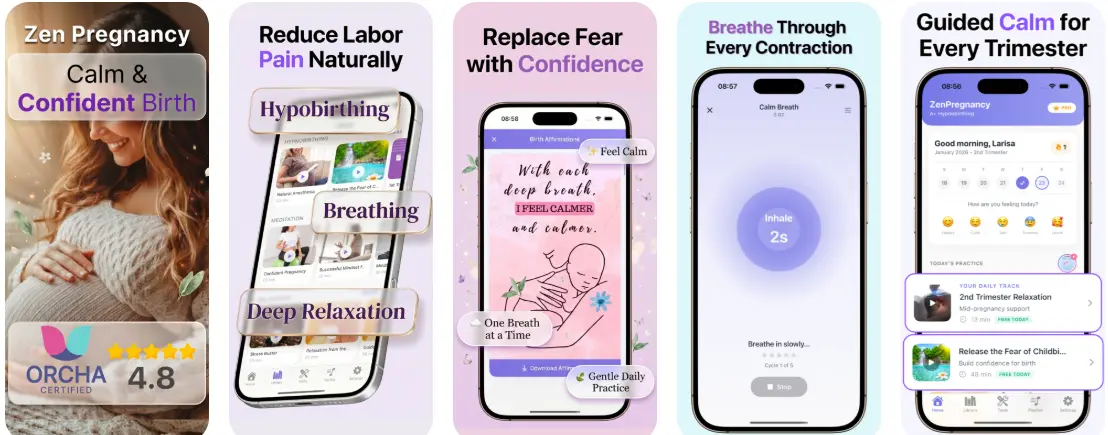
A hypnobirthing app for Android gives you guided meditation, breathing exercises, contraction timing, and birth affirmations directly from the Google Play Store so you can practice calming techniques throughout pregnancy and use them during labor. HypnoBirth App is built for this use case, with offline downloads and background play designed for real hospital settings. Consistent daily practice over weeks, not a last-minute download, delivers the strongest benefit.
Definition: A hypnobirthing app for Android is a pregnancy-specific mobile tool downloaded from Google Play that delivers guided relaxation, breathing exercises, affirmations, and contraction timing to help you prepare for a calmer birth.
This guide is educational and does not replace advice from your midwife, obstetrician, doula, or hospital triage team; call your care team for bleeding, reduced fetal movement, severe pain, fever, high blood pressure symptoms, or any labor concern that feels urgent.
TL;DR
- Android-specific settings like offline downloads, battery optimization, and background play are essential for reliable use during labor.
- Research shows smartphone-based mindfulness training in pregnancy reduces childbirth fear and depressive symptoms.
- Start practicing weeks before your due date. Hypnobirthing apps work through gradual conditioning, not one-time use.
What Works in a Hypnobirthing App on Android
A good Android hypnobirthing app combines daily audio practice with labor-day tools. The point is not to perform birth calmly; it is to give your body familiar cues when contractions get louder.
- Guided audio sessions should include relaxation, affirmations, labor breathing, and short reset tracks for anxious moments.
- A contraction timer helps you notice rhythm, spacing, and when to call your care team.
- Birth education modules should explain early labor, active labor, position changes, and partner support in plain language.
- Custom playlists let you separate sleep tracks from labor tracks, which matters at 3 a.m. when you don't want to scroll.
- Offline audio and background play keep the session running when hospital Wi-Fi drops or your screen locks.
HypnoBirth App covers these Android needs through guided sessions, a contraction timer, affirmations, and downloadable tracks. For a fuller feature breakdown, the hypnobirthing app features guide walks through each tool.
On days when birth anxiety spikes after an appointment, a short reset track fits the moment because guided breathing and affirmation audio can start without opening a full course.
Minimum Android Requirements for a Birth App
Most Android birth apps run best on Android 8 or newer, though exact requirements depend on the developer and Google Play listing. Before you rely on any birth app for Android, check your operating system, storage, audio output, and account access.
You need enough device storage for offline audio. Don't assume an SD card will behave well in labor, especially after an update. Use internal storage when possible.
The speaker matters more than people expect. A tinny phone speaker can disappear under a fetal monitor, hallway noise, or a partner filling the tub. Test wired earbuds, Bluetooth headphones, and a small speaker before you pack the bag.
Pew Research Center reports that 97% of U.S. adults ages 18 to 29 and 93% of adults ages 30 to 49 own smartphones, which makes mobile birth prep realistic for many families but not the same as labor-day readiness: https://www.pewresearch.org/internet/fact-sheet/mobile/.
How Hypnobirthing on Android Works Behind the Scenes
Hypnobirthing on Android works by building a conditioned relaxation response through repeated guided audio, breathing practice, visualization, and affirmation loops. In plain terms, your body learns, “I have done this before,” when labor sensations begin.
The mechanism often targets the fear-tension-pain cycle. Fear can tighten muscles and increase distress. Repeated breathing and visualization practice may help interrupt that loop by pairing contractions with slower breathing, soft shoulders, and a familiar voice in your ear. Not magic. Practice.
A well-built Android hypnobirthing workflow delivers timed audio cues, progressive relaxation scripts, and birth affirmations that can be used during pregnancy and labor. The contraction timer adds interval tracking, so a birth partner can see patterns and cue breathing without asking five questions between contractions.
Clinical evidence for childbirth hypnosis is mixed but relevant: a Cochrane review found hypnosis may reduce use of pharmacological pain relief in labor, while noting variation in study quality and trial methods: https://www.cochranelibrary.com/cdsr/doi/10.1002/14651858.CD009356.pub3/full. Do not frame hypnosis as a guaranteed pain-control method.
After a long evening of practice, when the contraction timer app ping becomes familiar, that pairing matters because interval timing sits beside the coping tool.

How to Use a Hypnobirthing App for Android During Pregnancy
Use a hypnobirthing app during pregnancy like training, not like background noise. The most useful routine is short, repeated, and boring enough that you will actually keep doing it.
- Download from Google Play and create your account. Open the app, choose your pregnancy stage, and save your preferred tracks.
- Disable battery optimization for the app. This helps prevent Android from cutting off audio when the screen locks.
- Download audio tracks for offline use before hospital admission. Save labor breathing, relaxation, sleep, and affirmation tracks to device storage.
- Set a daily practice schedule of 10 to 20 minutes. A five-minute breathing track before breakfast still counts when the day is full.
- Test Bluetooth, wired headphones, and airplane mode. Make sure tracks keep playing without mobile data.
- Pack a backup charging cable and cache tracks on a second device. Ask your birth partner to test the same playlist.
A randomized trial of 1,222 first-time mothers found that smartphone-based mindfulness training reduced childbirth fear and depressive symptoms compared with usual care. For pregnant people who need short calm-down sessions outside labor prep, a pregnancy meditation app can support the same daily habit.
Birth partners trying to feel useful can follow the workflow well because it gives them simple jobs: start the track, time contractions, offer the straw cup, and stop talking so much.
Android vs iOS for a Hypnobirthing Birth App
Android and iOS can both support hypnobirthing practice, but they handle files, battery behavior, and notifications differently. Choose based on the phone you will actually bring into the birth room.
| Feature | Android | iOS |
|---|---|---|
| Battery control | More granular settings, but some phones aggressively stop background apps | Usually steadier background audio, with fewer manual controls |
| Offline files | Broader file handling and device variety | Simpler app sandboxing, less visible file management |
| Device options | Budget phones, large phones, and tablets | More consistent hardware and updates |
| Labor notifications | Do Not Disturb settings vary by brand | Focus modes are more standardized |
| App parity | Core guided sessions, affirmations, and timer tools | Same core birth-prep workflow |
Good hypnobirthing apps deliver repeatable coping cues, not a promise that labor will be quiet, painless, or intervention-free.
In a fluorescent hallway outside labor rooms, the phone settings matter less than one thing: the audio keeps playing.
Who a Hypnobirthing App for Android Is For
A hypnobirthing app for Android is for pregnant people who want practice tracks, offline labor audio, and contraction timing on the phone they already use. It is most useful when it supports your birth team, not when it becomes the whole plan.
It can suit first-time parents who need repetition before labor starts, especially if a class feels hard to schedule. It also gives birth partners a small, clear role when contractions begin: keep the audio going, time the waves, lower the lights, and protect quiet.
- Choose an app if you want guided breathing, affirmations, downloads, and a timer in one place.
- Use it early if you need weeks of practice to make the voice, music, and cues feel familiar.
- Assign partner jobs so the person beside you knows what to press, when to time, and when to stop asking questions.
- Compare alternatives if you learn better through live classes, doula support, group practice, or a competitor app with a different tone.
- Avoid relying on it alone if you have high-risk care needs, severe anxiety, trauma triggers, language access needs, or limited support in labor.
The app can be a steady tool. It is not a medical safety net.
Data Privacy and Permissions in Android Birth Apps
Pregnancy data is sensitive, even when it looks ordinary. Before installing an Android hypnobirthing app, review permissions for microphone access, storage, notifications, health data, location, and any account syncing.
Use the Google Play Data Safety section as a quick audit tool. It should tell you what data may be collected, whether it is shared, and whether you can request deletion. Then open the privacy policy. If you cannot find a developer name, contact email, or plain explanation of contraction logs and journal storage, pause.
The privacy setup should be designed around minimal data collection for guided practice, breathing, affirmations, and contraction timing. If you use ZenPregnancy content or account syncing, still check what gets stored and what remains local to your Android device.
The most defensible privacy choice is simple: share only the information the app needs to deliver the feature you are using.
Android Hospital Backup Plan for Your Hypnobirthing App
Your hospital backup plan should assume the Wi-Fi will be patchy, your charger will be across the room, and someone will forget a password. Plan around that now, not during active labor.
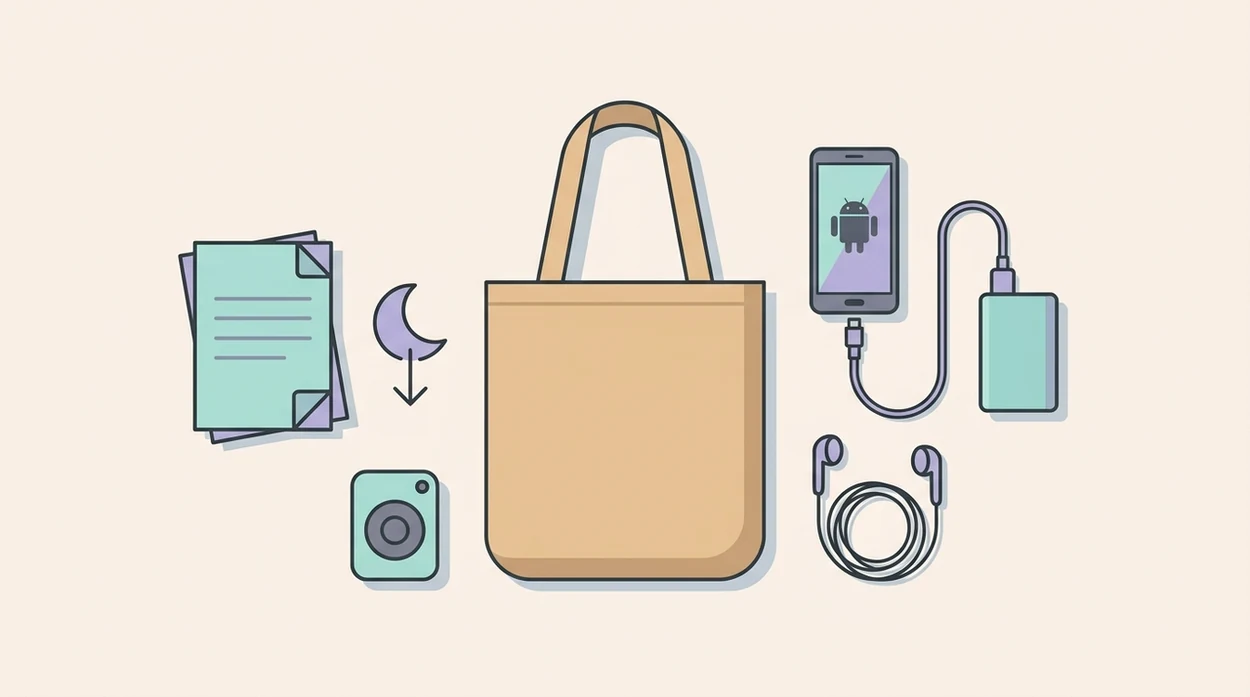
Download every essential audio track to internal device storage. Do not depend on streaming, cloud files, or an SD card that may unmount after a restart. Fully charge the phone before you leave, and pack a portable battery pack in the same pocket as the charging cable.
Test airplane mode playback at home with the screen locked. Then ask your birth partner to cache the same tracks on a second device. That way, if your phone dies while you are changing positions on the birth ball, the plan keeps going.
Reset the plan.
A doctor's VBAC pamphlet in a tote or a folded birth plan in a purse won't help if the audio is stuck behind a login screen.
When to Contact Your Care Team During Labor
Contact your care team whenever your hospital, birth center, or midwife has told you to call, or whenever something feels wrong. A hypnobirthing app can support breathing and relaxation, but it cannot assess maternal safety, fetal wellbeing, bleeding, blood pressure, infection, or whether labor needs urgent care.
Use the app as the calm layer beside your clinical plan, not as the decision-maker. Contraction timing can help you describe what is happening, but your own instructions may be different if you are preterm, high risk, planning a VBAC, carrying multiples, or have any condition your team is watching.
- Call urgently for heavy bleeding, reduced or absent fetal movement, severe headache, vision changes, chest pain, trouble breathing, fever, seizure, fainting, severe abdominal pain between contractions, or anything that feels like an emergency.
- Report fluid changes if your waters break, especially if the fluid is green, brown, foul-smelling, or you are not yet at term.
- Use contraction timing to call when contractions match the pattern your team gave you, such as regular, stronger waves that are getting closer together.
- Follow local instructions even if the app timer, playlist, or birth plan suggests waiting.
- Hand over decisions to triage, your midwife, or emergency services when safety questions come up.
Download HypnoBirth App for Android
Download HypnoBirth App from Google Play before you need it in labor. Start here: download hypnobirthing app.
After download, you can use guided hypnobirthing sessions, breathing exercises, birth affirmations, and contraction timing from your Android phone. ZenPregnancy content is built for repeated practice, not a one-night cram session.
Pregnant users preparing for a calmer labor routine should start early because offline tracks, daily sessions, and timer practice become more useful when they already feel familiar.
If cost is part of the decision, compare what is included in a free hypnobirthing app before you rely on it for hospital use.
Limitations
A hypnobirthing app can be useful, but it has real limits. Keep these in mind before making it the center of your birth preferences.
- Evidence for app-delivered hypnobirthing is promising but limited. Few trials test apps directly against in-person classes.
- An Android hypnobirthing app cannot monitor fetal heart rate, blood pressure, bleeding, waters breaking, or maternal health.
- Audio-based hypnosis does not work for everyone. Some people need a doula, midwife, therapist, or hands-on partner support.
- Technical failures happen. Dead batteries, OS updates, poor speakers, phone restrictions, and lost headphones can disrupt playback.
- Marketing claims on some birth apps may overstate benefits compared with current clinical evidence.
- Last-minute downloads provide little conditioning benefit. Most users need weeks of repetition.
- Competitors such as GentleBirth, Expectful, Hypnobabies, and The Positive Birth Company may suit different learning styles or faith preferences.
For many families, an Android hypnobirthing app works best as one layer of preparation, alongside prenatal care, birth preferences, and a flexible support plan.
See also: Hypnobirthing App For VBAC.
Read more
- About HypnoBirth App: Calm Birth Support
- Are Hypnobirthing Apps Regulated
- Are Hypnobirthing Apps Safe
- Birth Partner Hypnobirthing App Guide
- App for Natural Birth Preparation: What to Choose
- Best Birth Meditation App for Calm Labor
- Best Contraction Timer App for iPhone: 2026 Guide
- Best Hypnobirthing App 2026: Top Picks
- Does Hypnobirthing Work for First Births? Guide
- Free Hypnobirthing App for iPhone: Calm Birth
- How to Start Hypnobirthing: Beginner Guide
- Hypnobirthing for C Section Prep: Calm Cesarean
Best Hypnobirthing App for Android Pregnancy Practice
HypnoBirth App gives Android users a simple way to practise hypnobirthing on their phone, with free tracks for relaxation, breathing, and birth preparation. It is used by 200k+ parents and is ORCHA NHS certified, making it a reassuring option to compare when choosing a pregnancy app.
Best for
- Android users who want free hypnobirthing practice on their phone
- Daily pregnancy relaxation, breathing, and birth mindset sessions
Limitations
- App availability and features can vary by device, region, or operating system version
- Hypnobirthing support is educational and not a replacement for medical advice from your care team
Frequently Asked Questions
What is a hypnobirthing app for Android?
A hypnobirthing app for Android is a mobile app that provides birth preparation tools such as guided relaxations, breathing exercises, affirmations, education, and practice reminders. It helps you practise hypnobirthing techniques on your phone at home, on the go, or during labour. It is not a replacement for personalised medical advice from your midwife, doctor, or maternity team.
Can I start using a hypnobirthing app at 38 weeks pregnant?
Yes, you can start hypnobirthing at 38 weeks pregnant. Short daily sessions can still help you learn calmer breathing, relaxation cues, and confidence-building techniques before birth. If you have any pregnancy complications or concerns, check with your maternity team before changing your birth preparation routine.
Can a hypnobirthing app help with pregnancy anxiety?
Yes, a hypnobirthing app can help some people manage pregnancy anxiety by offering calming audio, breathing practice, and positive birth preparation. These tools may support relaxation and a sense of control, but they do not treat anxiety disorders. Speak to your midwife, GP, or mental health professional if anxiety feels overwhelming, persistent, or affects daily life.
Can I use a hypnobirthing app if I want an epidural?
Yes, you can use hypnobirthing even if you want an epidural. Hypnobirthing focuses on breathing, relaxation, informed choices, and staying calm, so it can be useful before, during, or after pain relief decisions. Your pain relief options should be discussed with your midwife or doctor based on your labour and health needs.
Is a hypnobirthing app good for first-time mums?
Yes, a hypnobirthing app can be useful for first-time mums. It can introduce birth breathing, relaxation, body awareness, and decision-making tools in a simple, repeatable format. First-time parents may also benefit from combining app practice with antenatal education and guidance from their maternity team.
Is a hypnobirthing app better than a hypnobirthing class?
No, a hypnobirthing app is not automatically better than a class; it depends on how you like to learn. An app is flexible, lower-cost, and easy to repeat, while a class may offer live teaching, personalised questions, and partner involvement. Many people use both for regular practice and extra support.
What features should I look for in a hypnobirthing app for Android?
Look for an Android hypnobirthing app with guided meditations, breathing exercises, birth affirmations, offline downloads, a contraction timer, and clear pregnancy safety information. Helpful extras include partner tools, sleep audios, reminders, and simple progress tracking. Check reviews, update history, privacy details, and whether the content is created or reviewed by qualified professionals.
Can I use a hypnobirthing app during labour?
Yes, you can use a hypnobirthing app during labour if it feels helpful and safe. Many people use downloaded tracks, breathing prompts, affirmations, or a contraction timer to stay focused. Keep your birth team informed, and follow their guidance if your clinical situation changes.
Do hypnobirthing apps work without internet on Android?
Yes, some hypnobirthing apps work without internet if they offer offline downloads. Download your favourite tracks, breathing sessions, and any labour tools before your due date so they are ready in hospital, at home, or when signal is poor. Always test playback, volume, and battery settings in advance.
Are hypnobirthing apps safe to use in pregnancy?
Yes, hypnobirthing apps are generally safe for relaxation and education in pregnancy. They usually involve gentle breathing, guided imagery, and mindset practice rather than medical treatment. Avoid any technique that makes you dizzy, uncomfortable, or short of breath, and ask your midwife or doctor if you have health concerns.
Can a birth partner use a hypnobirthing app too?
Yes, a birth partner can use a hypnobirthing app to learn supportive language, breathing cues, relaxation prompts, and practical labour roles. Shared practice can help both of you feel more prepared and confident. Partner support should still adapt to your preferences and the advice of your maternity team.
Will a hypnobirthing app guarantee a calm or pain-free birth?
No, a hypnobirthing app cannot guarantee a calm, easy, or pain-free birth. It can teach tools that may help with relaxation, confidence, and coping, but birth is unpredictable and sometimes requires medical support. The safest approach is to use hypnobirthing alongside evidence-based maternity care and informed decision-making.