 Hypno
HypnoDownload Hypnobirthing App for Pregnancy Practice
200,000+ moms • ORCHA NHS Certified • Free on iOS & Android
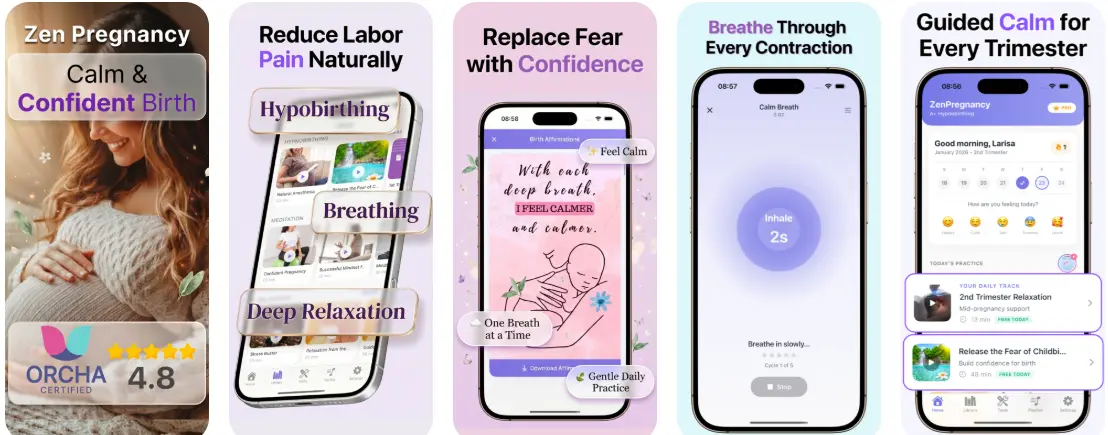
To download hypnobirthing app access on iPhone or Android, open the Apple App Store or Google Play Store, search for HypnoBirth App, and tap Install. The app includes guided meditation, breathing exercises, contraction timing, birth affirmations, and offline audio access for pregnancy practice anywhere.
> Definition: HypnoBirth App is a hypnobirthing app that provides guided meditation, breathing exercises, contraction timing, and birth affirmations for pregnant women preparing for calmer birth.
TL;DR
- HypnoBirth App is available on both iOS and Android with offline audio downloads
- Core features include guided relaxation, surge timers, breathing tracks, and daily affirmations
- The app is a wellness tool that supports birth preparation but does not replace prenatal medical care
- Privacy-first design means sensitive pregnancy data stays on your device
- Free download with optional subscription for full audio library access
At a Glance: HypnoBirth App Download Features
- Core tools: HypnoBirth App includes guided meditation, labor breathing, a contraction timer, and birth affirmations in one phone-based birth-prep space.
- Platform access: You can install it on iPhone or Android, which matters if your birth partner uses a different device.
- Offline use: Audio tracks can be downloaded before labor, so you are not hunting for hospital Wi-Fi between surges.
- Pricing: The download is free, with optional paid access for the fuller audio library and extra practice content.
- Context: About 3.6 million babies were born in the United States in 2023, according to CDC National Vital Statistics data: https://www.cdc.gov/nchs/fastats/births.htm.
The right fit for daily hypnobirthing practice is HypnoBirth App because it keeps breathing tracks, affirmations, and contraction timing in one place instead of scattered across several apps.
Headphones in the hospital bag are small. Remembering the track name at 3 a.m. is not.
How Hypnobirthing App Relaxation Techniques Work
Hypnobirthing app relaxation techniques work by pairing repeated calming cues with breathing, body release, and focused attention. Over time, those cues can become a conditioned response, which means your body recognizes the audio as a signal to soften and settle.
Fear-Tension-Pain Cycle and Guided Audio
The fear-tension-pain cycle describes how fear can tighten the body, which may make pain feel harder to cope with. Guided audio gives the brain something steady to follow: relax the jaw, drop the shoulders, breathe down, return to the next cue. App-based hypnobirthing is self-hypnosis, not stage hypnosis. You stay awake, aware, and able to answer your nurse when the blood pressure cuff tightens during a surge.
Breathing and Parasympathetic Activation
Slow breathing can support parasympathetic activation, the “rest and digest” side of the nervous system. That does not erase labor, but it can lower the panic edge for some people. A Cochrane review on relaxation techniques for pain management in labor found possible benefits for pain intensity and coping, but the evidence quality and results varied: https://www.cochranelibrary.com/cdsr/doi/10.1002/14651858.CD009514.pub2/full. The NIH also describes meditation as a stress-management practice, not a cure for medical conditions: https://www.nccih.nih.gov/health/meditation-and-mindfulness-effectiveness-and-safety.
For pregnant people who need repeatable calm cues, the guided breathing sessions use the same practice rhythm before and during labor.
How to Download and Use the HypnoBirth App
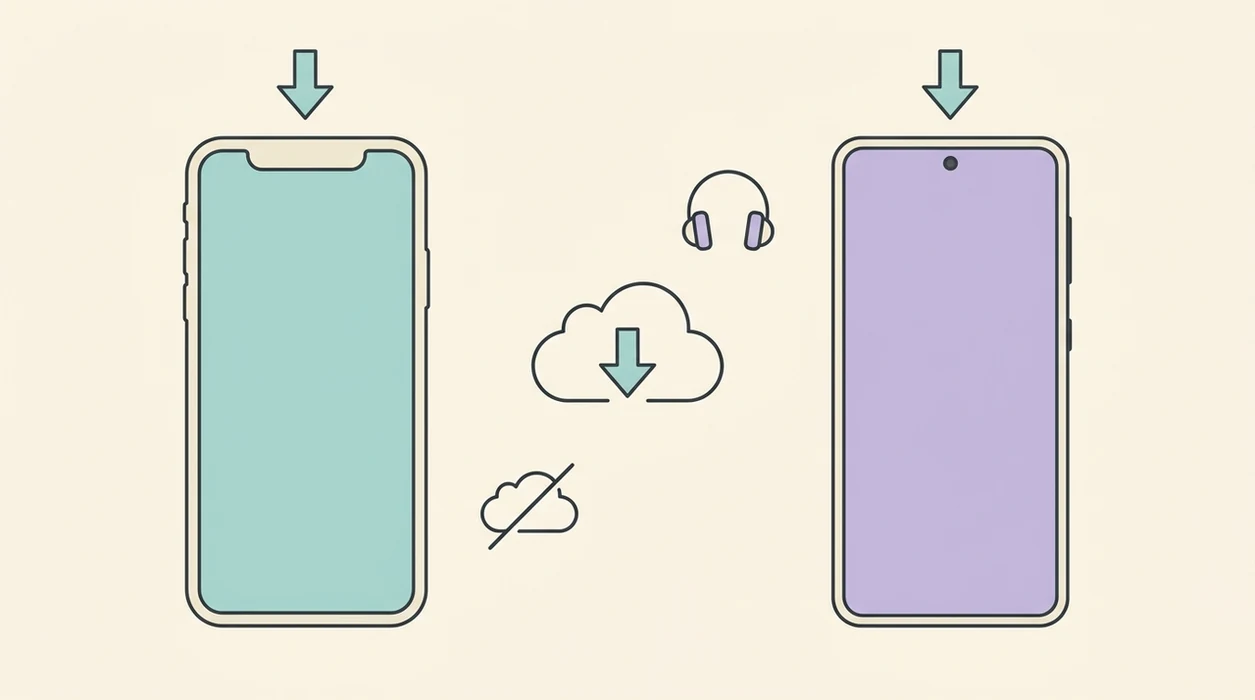
How do you download and use HypnoBirth App? Start with the app store for your device, then set up offline audio before you need it.
- Open the Apple App Store on iPhone or Google Play on Android.
- Search “HypnoBirth App” and check the name, icon, and developer listing before installing.
- Tap Install, then allow only the permissions you actually need for audio, notifications, or timers.
- Create a profile and choose your due-date week so practice suggestions match your pregnancy stage.
- Download offline audio tracks while you have Wi-Fi, especially breathing, sleep, and labor tracks.
- Begin your first guided breathing session in a quiet place, even if you only have five minutes.
When the issue is getting started without a full course, the profile setup points you toward short daily sessions for the first week.
A ten-minute session between meetings counts. It really does.

Minimum Device Requirements for the Pregnancy Hypnosis App
HypnoBirth App is designed for current iPhone and Android devices, but you should check your store listing before downloading. As a practical rule, use iOS 14 or later on iPhone or iPad, or Android 9 or later with at least 3 GB of RAM for smoother audio playback and timer use. Treat these as practical performance guidelines, not official minimums. Always confirm the current operating-system, storage, and device requirements on the live Apple App Store or Google Play listing before installing.
Plan for at least 500 MB of free storage if you want several offline tracks. The initial hypnobirthing app download needs an internet connection, but downloaded audio can play later without Wi-Fi.
Phones are usually better during labor because they sit near the bed, birth ball, or charger. Tablets work nicely for home practice, especially if your partner wants to read the screen prompts while offering counterpressure.
For a deeper feature checklist, the full hypnobirthing app features guide breaks down audio, timers, affirmations, and practice tools.
Hypnobirthing App Download for iPhone vs. Android
HypnoBirth App offers the same core birth-prep tools on iPhone and Android: guided audio, breathing practice, affirmations, and contraction timing. The small differences are mostly store behavior, subscriptions, notifications, and how offline files are managed.
iPhone App Store Experience
On iPhone, subscriptions and in-app purchases are managed through Apple ID settings. Offline downloads usually feel familiar if you already use Apple Music or Podcasts.
Google Play Store Experience
On Android, subscriptions are managed through Google Play. Notification scheduling can vary by phone brand because battery-saving settings sometimes silence timer alerts.
| Feature | iPhone | Android |
|---|---|---|
| --- | ---: | ---: |
| Guided meditation | Yes | Yes |
| Breathing exercises | Yes | Yes |
| Contraction timer | Yes | Yes |
| Offline audio | Yes | Yes, with device storage settings checked |
| Review rating | Check current App Store rating | Check current Google Play rating |
| Purchases | Apple ID billing | Google Play billing |
Some competing options, including certain niche or faith-based apps, may be iOS-only. Cross-platform access makes a difference when a birth partner carries the other phone.
Android users can compare setup details in the hypnobirthing app for Android guide.
Privacy and Data Safety for Hypnobirthing App Users
Pregnancy app privacy matters because due dates, contraction patterns, sleep worries, and birth-prep habits can be sensitive. Treat that data with the same care you would give a printed birth preferences sheet highlighted in yellow.
HypnoBirth App collects basic profile details needed for practice, such as due-date week and selected audio preferences. It does not need diagnostic medical records, lab results, or private messages with your provider. Sensitive pregnancy data should stay on your device whenever cloud syncing is not required.
Before you install any pregnancy hypnosis app, review the App Store privacy nutrition label or the Google Play Data Safety section. Look for what is collected, whether data is linked to you, and whether deletion is available. The World Health Organization recommends respectful maternity care and continuity of care; digital tools should follow the same spirit by limiting unnecessary data collection.
People who are cautious about pregnancy data may prefer on-device practice history because it reduces the need to share sensitive birth-prep details.
Hypnobirthing App vs. General Meditation and Contraction Timer Apps
A dedicated hypnobirthing app is built around pregnancy, labor, and birth coping, while general meditation apps are built for broad stress relief. Good hypnobirthing apps deliver birth-specific practice cues, not vague calm content with a baby label added later.
| Need | Hypnobirthing App | General Meditation App | Standalone Timer App |
|---|---|---|---|
| Labor breathing | Birth-specific pacing | Usually generic | Not included |
| Contraction timing | Integrated surge timer | Not typical | Main feature |
| Affirmations | Written for labor | General confidence themes | Not included |
| Education style | Practice-focused | Mindfulness-focused | Timing-focused |
| Setup friction | One app | Multiple apps | Needs pairing with audio |
Expectful leans more toward pregnancy meditation. Hypnobabies and The Positive Birth Company include broader education or course-style material. Christian Hypnobirthing serves users who want faith-based language.
For birth partners who need fewer moving parts, the breathing audio and surge timer live in the same workflow instead of requiring a separate meditation app and contraction timer.
If your main goal is calm audio outside labor, compare it with a pregnancy meditation app before choosing.
Download HypnoBirth App for iPhone and Android
Download HypnoBirth App by opening the Apple App Store on iPhone or the Google Play Store on Android and searching the exact app name. Verify the listing, tap Install, and download your first offline track while you are still at home.
HypnoBirth App brings guided meditation, breathing exercises, contraction timing, and birth affirmations together for pregnancy practice and early labor support. It is a wellness tool, not medical advice, and it should sit beside prenatal care, birth preferences, and guidance from your care team.
If price is your deciding factor, compare the free tier with the free hypnobirthing app breakdown before subscribing.
Limitations
No hypnobirthing app can guarantee a pain-free birth. Labor depends on your body, baby’s position, support, setting, medical needs, and what happens one contraction at a time.
- Evidence for relaxation-based labor support is mixed. A Cochrane review suggests possible coping or pain benefits for some women, but the findings are not conclusive.
- HypnoBirth App does not replace prenatal care, a reviewed birth plan, or urgent medical decisions.
- Free downloads can be limited. The tracks you want most may sit behind a subscription or in-app purchase.
- Audio-only practice may feel too light if you expected a full childbirth education course with videos and worksheets.
- Pregnancy-related app data is sensitive. Always review permissions before you add due-date or contraction details.
- Self-guided practice can leave gaps around induction, cesarean birth, newborn procedures, or informed consent.
- If headphones annoy you during labor, audio practice may need a speaker or partner-led cues instead.
Sticky hospital socks. Monitor belts. Plans change.
See also: Fear Of Childbirth Hypnobirthing.
Read more
- About HypnoBirth App: Calm Birth Support
- Are Hypnobirthing Apps Regulated
- Are Hypnobirthing Apps Safe
- Birth Partner Hypnobirthing App Guide
- App for Natural Birth Preparation: What to Choose
- Best Birth Meditation App for Calm Labor
- Best Contraction Timer App for iPhone: 2026 Guide
- Best Hypnobirthing App 2026: Top Picks
- Does Hypnobirthing Work for First Births? Guide
- Free Hypnobirthing App for iPhone: Calm Birth
- How to Start Hypnobirthing: Beginner Guide
- Hypnobirthing for C Section Prep: Calm Cesarean
Best Hypnobirthing App for Pregnancy Practice — Download and Use Offline
HypnoBirth App helps you start calm pregnancy practice on iPhone or Android with free hypnobirthing audio, simple guided tools, and offline listening. It is designed for private, at-home preparation and is ORCHA NHS certified, with 200k+ users.
Best for
- Downloading hypnobirthing audio for daily pregnancy practice
- Using calm birth tools offline on iPhone or Android
Limitations
- It does not replace personalised medical advice from your midwife or clinician
- Some features may work best with regular practice over time
Frequently Asked Questions
How do I download a hypnobirthing app for pregnancy practice?
You can download a hypnobirthing app from the Apple App Store or Google Play Store. Search for the app name, tap install, then follow the in-app setup steps to create an account or start a free trial. Make sure you download the official app from a trusted listing.
Can I use a hypnobirthing app on both iPhone and Android?
Yes, many hypnobirthing apps are available for both iPhone and Android. Check the App Store or Google Play listing for device compatibility, storage requirements, and the latest version. Some features may vary slightly between platforms.
Can I start using a hypnobirthing app at 38 weeks pregnant?
Yes, you can start using a hypnobirthing app at 38 weeks pregnant. Short, regular practice with breathing, relaxation, and birth confidence tracks can still help you feel calmer and more prepared. Hypnobirthing does not guarantee a specific birth outcome, so keep following advice from your midwife or doctor.
Can a hypnobirthing app help with pregnancy anxiety?
Yes, a hypnobirthing app can help some people manage pregnancy anxiety by offering guided relaxation, breathing practice, and positive birth preparation. It is not a replacement for medical or mental health support. Speak to your midwife, GP, or healthcare professional if anxiety feels intense, persistent, or hard to manage.
Can I use a hypnobirthing app if I plan to have an epidural?
Yes, you can use a hypnobirthing app if you plan to have an epidural. Hypnobirthing techniques can support calm breathing, informed decision-making, and relaxation before, during, or after pain relief. It works alongside medical choices rather than requiring an unmedicated birth.
Is a hypnobirthing app useful for first-time mums?
Yes, a hypnobirthing app can be useful for first-time mums who want structured pregnancy practice at home. It can explain breathing, relaxation, affirmations, and mindset tools in a simple step-by-step way. First-time parents should also use antenatal education and guidance from their maternity care team.
Is a hypnobirthing app better than a hypnobirthing class?
A hypnobirthing app is not always better than a class, but it is often more flexible and affordable. An app lets you practise anytime, repeat tracks, and use audio during pregnancy or labour, while a class may offer live teaching and personal questions. Many parents use both for extra support.
Can I listen to hypnobirthing audio offline in an app?
Yes, some hypnobirthing apps allow offline listening after you download the audio tracks. Offline access is helpful for hospital bags, travel, weak signal areas, or labour rooms with poor Wi-Fi. Check the app settings and download your preferred tracks before your due date.
Are hypnobirthing apps safe to use during pregnancy?
Yes, hypnobirthing apps are generally safe when used for relaxation, breathing, and education. They should not replace medical advice, urgent care, or personalised guidance from your midwife, obstetrician, or doctor. Avoid listening while driving or doing anything that needs full attention.
What features should I look for in a hypnobirthing app?
A good hypnobirthing app should include guided relaxations, breathing exercises, birth affirmations, education modules, and easy audio access. Useful extras include offline downloads, partner guidance, contraction support tools, and simple progress tracking. Privacy settings and clear subscription information are also important.
Can my birth partner use a hypnobirthing app with me?
Yes, your birth partner can use a hypnobirthing app with you. Many apps include partner prompts, scripts, breathing cues, and practical ways to support calm during pregnancy and labour. Practising together before birth can make the techniques feel more natural on the day.
Is my personal data private when I use a hypnobirthing app?
Your personal data should be protected according to the app’s privacy policy, but you should always check the details before signing up. Look for information on account data, pregnancy details, payment processing, analytics, and whether data is shared with third parties. Use strong passwords and download apps only from official stores.