 Hypno
HypnoDownload Birth Affirmations App for Calm Labor Prep
200,000+ moms • ORCHA NHS Certified • Free on iOS & Android
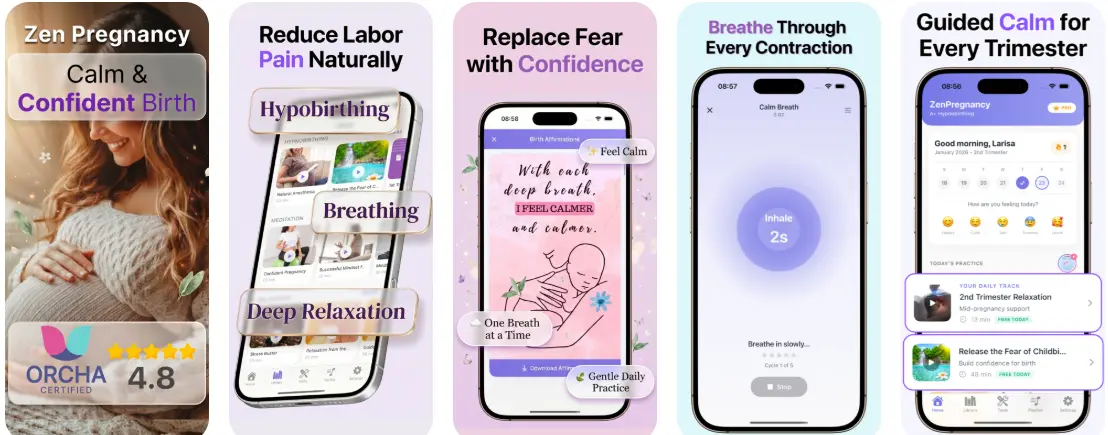
To download birth affirmations app support for labor, install HypnoBirth App from the App Store or Google Play; it bundles audio affirmations, guided hypnobirthing tracks, breathing exercises, and offline playback for practice and delivery-room use. Research on antenatal relaxation, breathing, and hypnosis suggests these tools may reduce childbirth anxiety and pharmacological pain relief for some people, but they do not replace medical care.
It is a hypnobirthing app that provides guided meditation, breathing exercises, contraction timing, and birth affirmations for pregnant women preparing for calmer birth.
- Download the birth affirmations app from the App Store or Google Play in under two minutes with offline access included.
- Audio affirmations are organized by labor stage: early labor, active labor, pushing, and postpartum, so you tap the right track at the right time.
- Daily listening during the final weeks of pregnancy builds the relaxation response; last-minute downloads are far less effective.
- Birth affirmations support coping and calm but never replace medical care or a birth plan.
At a Glance: Birth Affirmations App Download Details
- iOS and Android: HypnoBirth App is built for phone-based practice, so you can use it before bed, in the car park, or beside the hospital bed.
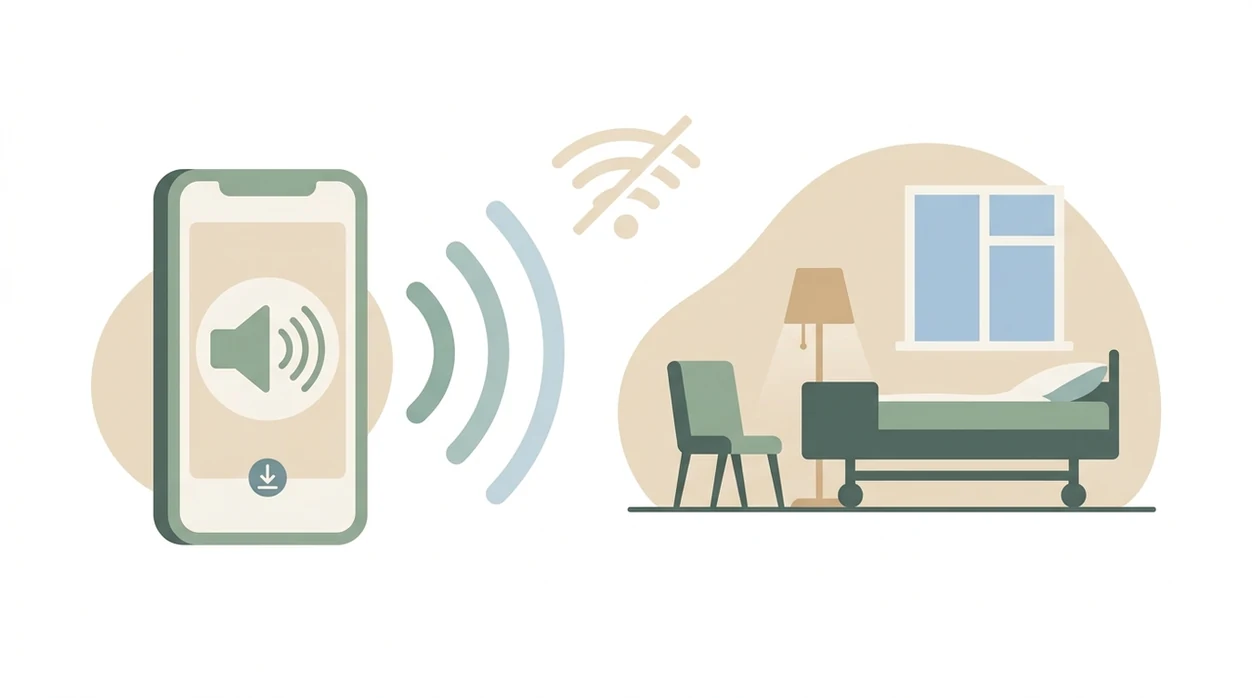
- Offline playback: Download tracks before labor, because hospital Wi-Fi can be patchy when you need steady audio most.
- Labor-stage playlists: Affirmations are grouped for pregnancy, early labor, active labor, pushing, and postpartum recovery.
- Breathing plus audio: The app combines birth affirmations with breathing exercises and guided hypnobirthing tracks.
- Partner support: A birth partner can cue the right track, run the contraction timer, and offer a straw cup between contractions.
When the issue is fast, practical setup, the useful thing is one labor-stage workflow: affirmations, breathing, offline audio, and the contraction timer in the same place.
What Works When You Download Birth Affirmations on Each Platform
Both iOS and Android users should check the current store listing before installing, because platform features and file sizes can change with updates. The shared value is simple: download the audio, sort by labor stage, and keep breathing support close.
Good birth affirmation apps deliver repeatable audio practice and quick labor cues, not a promise that birth will be painless.
| Feature | iOS | Android |
|---|---|---|
| Offline downloads | Included when listed in the current App Store version | Included when listed in the current Google Play version |
| Audio controls | Lock-screen controls may be available through standard iOS audio playback | Background audio may continue through standard Android playback |
| Reminders | Notification reminders if allowed | Notification reminders if allowed |
| Shared tools | Labor-stage playlists, contraction timer, breathing exercises | Labor-stage playlists, contraction timer, breathing exercises |
| Storage | Confirm file size in the App Store before download | Confirm file size in Google Play before download |
iOS Birth Affirmations App Features
On iPhone, test one downloaded track with the screen locked before labor. That small check matters when a nurse adjusts the bed rail and you don't want to fumble.
Android Birth Affirmations App Features
On Android, test background audio and reminders after install. If you use ZenPregnancy alongside the app content, keep your chosen labor playlist easy to find.
Minimum Requirements for the Labor Affirmations Download
Before a labor affirmations download, confirm the current iOS version, Android version, file size, account requirement, and privacy permissions in the live App Store and Google Play listings, and cite both official listing URLs inline. If iOS 15+ or Android 10+ is listed, update the phone before you pack the bag.
Storage needs include the base app plus extra room for offline audio tracks. A 120 MB base app should only be treated as accurate if the current listing confirms it; downloaded playlists can add more. Allow notifications if you want daily practice reminders. Allow microphone access only if voice notes or recording features are listed.
No account required for core affirmation playback should also be verified before publication. In real life, the annoying login screen always appears when contractions are three minutes apart.

How Birth Affirmation Audio Works During Pregnancy and Labor
Birth affirmation audio works by pairing repeated positive statements with slower breathing, familiar voice cues, and guided imagery. Over time, that pairing can create a conditioned relaxation response, which means the body starts to settle faster when the same sound and rhythm begin.
Hypnobirthing audio often uses parasympathetic activation. Plain version: it helps nudge the nervous system away from panic and toward rest, focus, and coping. A 2021 systematic review found that antenatal education with relaxation and breathing techniques was associated with reduced childbirth anxiety and improved birth experience in some studies source. A Cochrane review also found that relaxation techniques, including hypnotherapy, may reduce pharmacological pain relief use, though evidence quality was low to moderate source.
For most pregnant people, birth affirmation audio works better with weeks of practice than as a last-minute download because the body has already learned the cue.
Phone face-down after anxious googling. I’ve seen that look.
How to Download and Use the Birth Affirmations App
Use the birth affirmations app download as a practice plan, not just a file on your phone. The most useful rhythm is short, daily listening before labor starts.
- Open the App Store or Google Play and search HypnoBirth App.
- Tap Download, then allow notifications if you want daily practice reminders.
- Choose your tone preference if secular, spiritual, or faith-informed language options are offered.
- Download offline tracks for your current trimester or planned labor stage.
- Set a daily 10-minute listening window, ideally before sleep.
- Show your birth partner how to cue tracks, change playlists, and use the contraction timer during labor.
If the priority is calm repetition before the due date, the app covers the routine because reminders, affirmations, and breathing tracks sit inside one daily practice loop. For a broader comparison, the best app for birth affirmations guide explains what to check before choosing.
iOS vs Android: Birth Affirmations App Download Differences
The main iOS vs Android difference is usually phone behavior, not the affirmation content. Lock-screen controls, background playback, widgets, Siri shortcuts, beta access, version numbers, and update cadence should be checked in the current store pages.
| Download detail | iOS | Android |
|---|---|---|
| Audio library | Same offline library if verified in current listing | Same offline library if verified in current listing |
| Lock-screen use | May use standard iOS audio controls | May use Android background audio controls |
| Daily prompt | Notification reminder if enabled | Notification reminder if enabled |
| Shortcut or widget | Siri shortcut only if confirmed | Widget only if confirmed |
| Updates | Check App Store version history | Check Google Play version history |
After a birth video, when your heart is still racing, the app can give you one short track instead of another hour of scrolling.
Why Offline Playback Matters for Labor Affirmations Download
Offline playback matters because labor rooms are not reliable streaming environments. Hospital and birth center Wi-Fi can be restricted, overloaded, or unavailable in the exact corner where the birth ball sits.
A streaming pause during active labor can break the rhythm. One silence at the wrong time feels huge. The app should let users pre-download entire labor-stage playlists before leaving home, and that feature should be confirmed in the current listing.
Most birth affirmation guides talk about voice and track length but skip offline playback. That misses the delivery-room reality. If you want the audio to keep going while monitor belts stay in place, download it early. The app that plays birth affirmations page goes deeper on continuous playback.
Download Birth Affirmations App Now
Download HypnoBirth App only from the official Apple App Store or Google Play listing; check the developer name, latest update date, privacy labels, price, and trial terms before installing.
After installation, download the offline tracks immediately. Don’t wait until early labor, when the contraction timer app is pinging and someone is trying to find the hospital bag.
If pricing, free trial, or introductory access is shown in the store listing, review it before subscribing. People comparing no-cost options can also read the free birth affirmations app guide before deciding.
When to Call Your Clinician or Birth Team
Call your clinician, midwife, or birth unit whenever symptoms feel urgent, unusual, or outside the plan they gave you. Affirmations are comfort tools; they are not triage, diagnosis, or medical decision support.
- Call promptly for bleeding, severe headache, fever, or reduced fetal movement, even if a calming track is helping you breathe through the worry.
- Follow your clinician’s guidance for decisions about induction, epidural, cesarean birth, monitoring, or changes to the birth plan. Audio can steady your mind while medical choices still belong with your care team.
- Contact the birth unit when contractions, waters breaking, or any fluid changes match the local instructions you were given. Different hospitals use different timing rules, so use their threshold, not a generic app note.
- Seek emergency help immediately for chest pain, fainting, seizures, or severe difficulty breathing. If you cannot reach your birth team quickly, use your local emergency number.
Keep the phone charged, the birth unit number saved, and your partner clear on when to stop the playlist and make the call.
Limitations
Birth affirmations can help, but they are not a full birth plan or a medical safety net.
- Evidence for hypnobirthing and affirmation apps is promising but still limited and mixed.
- The app cannot prevent medical complications or guarantee a vaginal birth.
- Scripted affirmations may feel fake or irritating during intense pain.
- People with trauma histories, panic symptoms, or anxiety disorders may need personalized psychological support.
- Pain-free birth marketing can create guilt when induction, epidural, cesarean, or assisted birth becomes medically wise.
- Last-minute downloads, without weeks of listening, usually offer less benefit.
- Affirmations alone are not complete preparation; combine them with childbirth education, birth preferences, and clinician guidance.
- GentleBirth, Christian Hypnobirthing, Expectful, Hypnobabies, and Positive Birth Company may fit people who want a different teaching style, faith framing, or course format.
For anxious first-time parents, the app is often easier to use than a full course because the next action is one short audio session, not another long lesson. For phrase examples, use hypnobirthing affirmations for labor alongside hands-on practice.
Best Birth Affirmations App for Calm Labor Practice
HypnoBirth App gives you free hypnobirthing audio and birth affirmations to support calm, consistent practice during pregnancy. With offline listening, partner-friendly tools, and an ORCHA NHS certified app trusted by 200k+ users, it is a practical choice for preparing your mindset before labor.
Best for
- Pregnancy affirmations and calming audio practice
- Offline labor prep sessions and partner support
Limitations
- Affirmations are a wellbeing tool and do not replace medical advice
- Some users may prefer live classes alongside app-based practice
Frequently Asked Questions
What is a birth affirmations app?
A birth affirmations app is a mobile tool that provides positive pregnancy and labour statements, often with calming audio. It helps you practise confidence, relaxation, and breathing cues before birth. Many apps also include playlists, reminders, and offline listening for use during labour prep.
How do I download a birth affirmations app for pregnancy?
You download a birth affirmations app from the App Store or Google Play, then follow the setup steps inside the app. After installing it, choose your pregnancy stage, preferred audio, and any reminders you want. Check whether downloads are available if you want to listen offline.
Can birth affirmations help with pregnancy anxiety?
Yes, birth affirmations can help some people manage pregnancy anxiety by giving the mind calm, reassuring phrases to focus on. They work best when used alongside breathing, relaxation, and practical birth preparation. If anxiety feels severe, persistent, or affects daily life, speak with your midwife, GP, or maternity care provider.
Is 38 weeks too late to start using a birth affirmations app?
No, 38 weeks is not too late to start using a birth affirmations app. Short daily sessions can still help you become familiar with calming words, breathing prompts, and labour-focused audio. Choose simple tracks you can repeat easily rather than trying to learn too much at once.
Are birth affirmations useful for first-time mums?
Yes, birth affirmations can be useful for first-time mums who want simple, positive preparation for labour. They may help reduce fear by replacing unknowns with steady phrases and familiar audio cues. First-time mums should still use antenatal education and professional guidance to understand birth options and safety.
Can I use a birth affirmations app if I plan to have an epidural?
Yes, you can use a birth affirmations app if you plan to have an epidural. Affirmations and relaxation audio can support calm decision-making before, during, and after pain relief choices. They do not replace medical advice or guarantee a particular birth experience.
Should my birth partner use the birth affirmations app with me?
Yes, a birth partner can use the birth affirmations app with you to learn the words, tracks, and calming cues you prefer. This helps them prompt breathing, play audio, or read affirmations during labour. Practising together before birth can make their support feel more natural.
Can I listen to birth affirmations offline during labour?
Yes, you can listen offline if the app allows you to download tracks in advance. Offline access is useful in hospital, birth centres, or areas with weak signal. Download your favourite audio before your due date and test it with headphones or a speaker.
How often should I practise with a birth affirmations app?
Daily practice is a good starting point for using a birth affirmations app. Even 5 to 10 minutes a day can build familiarity with the phrases and make the audio feel more comforting. Consistency matters more than long sessions.
Is a birth affirmations app better than a hypnobirthing class?
No, a birth affirmations app is not automatically better than a hypnobirthing class; they serve different needs. An app is flexible, low-pressure, and easy to repeat at home, while a class may provide teaching, interaction, and personalised questions. Many parents use both for structured learning and ongoing practice.
What should I look for in a birth affirmations app?
Look for a birth affirmations app with clear audio, offline downloads, pregnancy-safe content, simple navigation, and tracks for different moods or labour stages. Partner-friendly features, reminders, and custom playlists can also be helpful. Avoid any app that promises guaranteed pain-free labour or medical outcomes.
Are birth affirmations safe to use during pregnancy and labour?
Yes, birth affirmations are generally safe because they are non-medical relaxation and mindset tools. Use them in a way that feels calming and stop if any track makes you uncomfortable or distressed. Always follow your midwife’s or doctor’s advice for medical concerns, symptoms, or labour decisions.