 Hypno
HypnoApple Watch Contraction Timer App: What to Know
A wrist-based contraction timer can make early labor tracking easier, but it should support—not replace—medical guidance.
200,000+ moms • ORCHA NHS Certified • Free on iOS & Android
An Apple Watch contraction timer app lets you start and stop contraction timing from your wrist, often syncing the pattern to a paired iPhone for easier review. It can be helpful in early labor, but it is not a medical device and should not be used alone to decide when to call your maternity unit or go in.
What an Apple Watch contraction timer does
An Apple Watch contraction timer app is designed to record when each contraction starts, when it ends, how long it lasts, and how far apart contractions are. The main benefit is convenience: instead of unlocking your phone during each wave, you can tap your wrist or sometimes use Siri if the app supports it. This can feel more manageable during early labor, especially if you are walking, resting, using breathing techniques, or trying to keep the room calm and low-distraction.
How it works with your iPhone
Most Apple Watch contraction timer apps still depend on a paired iPhone for installation, settings, history, and clearer pattern review. The watch is usually the quick input tool, while the phone gives you a bigger screen to see frequency, duration, and trends. If you want a phone-first option, compare features in this contraction timer app guide, or learn the basics in how to time contractions on iPhone before labor begins.
Accuracy depends on your taps
A contraction timer is only as accurate as the start and stop taps you enter. If you tap late, forget to stop the timer, move suddenly, have sweaty hands, or feel overwhelmed, the pattern may look more regular or more intense than it really is. Hospital monitors and clinical assessment are different tools. For signs that labor may be starting, resources such as the NICHD signs of labor can provide general education, but your own care team’s instructions matter most.

Using it offline or hands-free
Many watch-based timers can record taps without Wi-Fi or cellular service, then sync later when your iPhone and watch reconnect. That can be useful if signal is poor, your phone is across the room, or you are trying not to look at a screen. However, offline timing does not mean offline medical decision-making. Keep your hospital, birth center, or midwife contact instructions accessible, and make sure your watch and phone are charged before your due window if you plan to use them.
When to call your maternity unit
Contraction patterns are only one part of the picture. Call your midwife, doctor, birth center, or hospital according to the guidance you were given, especially if your waters break, bleeding occurs, your baby’s movements change, you feel unwell, or something worries you. The NHS labour and birth guidance also emphasizes getting help when you have concerns. For a deeper safety checklist, read contraction timer safety before relying on any app.
Pair timing with calm breathing
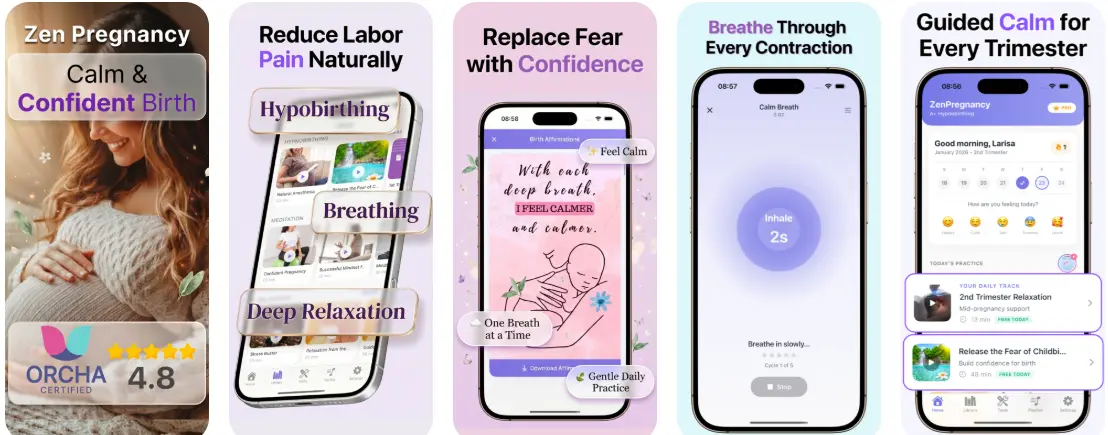
The best use of a timer is often alongside coping tools: slow breathing, position changes, hydration, rest, and reassurance from your birth partner. HypnoBirth App includes free hypnobirthing and pregnancy meditation support, and you can explore the best contraction timer with breathing features or download the app when you are ready. No app can promise a pain-free birth, but a simple timer plus calming audio may help you feel more prepared and less distracted.
Limitations
- An Apple Watch contraction timer is a consumer tracking tool, not a medical device or fetal monitor.
- Timing is manual, so missed taps, delayed taps, movement, sweat, or low battery can make the pattern unreliable.
- Most apps require a paired iPhone for setup, storage, syncing, and easier review of contraction history.
This is not medical advice. Consult your maternity care team for personalized guidance.
Frequently Asked Questions
Can I rely on an Apple Watch contraction timer app during labour?
No, you should not rely on an Apple Watch contraction timer app as your only decision tool. Use it to record contraction patterns, but follow your maternity unit’s advice and call your midwife or hospital if you are worried, bleeding, have reduced baby movements, or feel something is not right.
Does an Apple Watch contraction timer work without mobile signal or Wi-Fi?
Yes, many Apple Watch contraction timer apps can record contractions without mobile signal or Wi-Fi. You may still need your iPhone later to sync, review the history, or share the pattern with your care team.
Is an Apple Watch contraction timer medically accurate?
No, an Apple Watch contraction timer is not a medical monitor. It can accurately record the start and stop times you tap, but it cannot confirm labour, check your cervix, monitor your baby, or replace clinical assessment.
Can Siri start a contraction timer on Apple Watch?
Yes, some contraction timer apps support Siri shortcuts or voice controls. This depends on the app, your watch settings, and permissions, so test it before labour rather than trying to set it up during contractions.
What contraction pattern should I track on an Apple Watch?
Track frequency, duration, and whether contractions are becoming stronger, longer, and more regular. Your maternity unit may give you a specific pattern for when to call, especially if you are high risk, preterm, or planning a particular place of birth.
Should I start using a contraction timer app at 38 weeks pregnant?
Yes, 38 weeks is a sensible time to install and practise with a contraction timer app. Testing it before labour helps you learn how to start, stop, edit, and share timings without adding stress when contractions begin.
Can a contraction timer app help with pregnancy anxiety?
Yes, a contraction timer app can help some people feel more organised, but it should not become a source of constant checking. If timing contractions increases your pregnancy anxiety, pause the app, use calming breathing, and contact your midwife or GP for support.
Do I need a contraction timer app if I am planning an epidural?
Yes, a contraction timer can still be useful if you are planning an epidural. It helps you describe your contraction pattern when you call the maternity unit or arrive at hospital, but the timing does not decide whether or when you can have pain relief.
Is an Apple Watch contraction timer useful for first-time mums?
Yes, an Apple Watch contraction timer can be useful for first-time mums because early labour can feel confusing. It gives you a simple record of how close together contractions are, but your symptoms, waters, baby’s movements, and hospital guidance matter too.
Is a contraction timer app better than a hypnobirthing class?
No, a contraction timer app and a hypnobirthing class do different jobs. The app records timings, while a class teaches breathing, relaxation, decision-making, and coping tools for labour.
When should I call the hospital if I am using a contraction timer app?
Call the hospital or maternity unit when your contractions meet the pattern they have advised or whenever you are concerned. Call sooner for reduced baby movements, heavy bleeding, severe pain, fever, waters breaking with concerns, or if you feel unsafe or unsure.
Can an Apple Watch contraction timer be used hands-free during labour?
Yes, some Apple Watch contraction timer apps offer voice controls, complications, or large tap buttons that make timing easier during labour. Hands-free features vary by app, so practise beforehand and keep a backup plan, such as asking your birth partner to time contractions.
Best App to Pair With an Apple Watch Contraction Timer — Calm Birth Prep Between Timings
An Apple Watch contraction timer can help you log the start, end, and spacing of surges, while HypnoBirth App supports the calmer side of labour preparation. With free hypnobirthing tracks, breathing practice, and relaxation tools, it can be a helpful companion before and between contraction timing sessions.
Best for
- Practising calm breathing and relaxation alongside contraction tracking
- Preparing for labour with free hypnobirthing tools used by 200k+ users
Limitations
- HypnoBirth App is not a medical contraction monitor or diagnostic tool
- It does not replace advice from your midwife, maternity unit, or hospital