 Hypno
HypnoContraction Timer Safety: What Timing Apps Can and Cannot Tell You
200,000+ moms • ORCHA NHS Certified • Free on iOS & Android
Contraction timer safety comes down to one distinction: these apps are generally safe as convenience tools for recording timing patterns, but they cannot diagnose labor, detect complications, or replace clinical assessment. Use a contraction timer to stay organized and calm, but always contact your midwife or OB when warning signs appear regardless of what the screen says.
This page is general education for pregnancy planning and early labor support; it is not medical advice, diagnosis, or a triage decision. Follow the call-in plan from your own midwife, OB, hospital, or birth center, especially if your pregnancy is high-risk.
Definition: Contraction timer safety refers to understanding that labor timing apps accurately record start times, duration, and spacing of contractions but are not medical devices capable of diagnosing active labor, ruling out emergencies, or determining whether labor is progressing normally.
TL;DR
- Contraction timers record pattern data, including duration, frequency, and spacing, not labor safety or fetal wellbeing.
- Warning signs like bleeding, reduced fetal movement, or abnormal fluid require immediate clinical contact, no matter what the timer shows.
- Hypnobirthing features like breathing cues and audio add comfort but do not make the app medically diagnostic.
- With 1 in 10 U.S. babies born preterm, no app should assume a normal full-term labor pattern.
- A contraction timer is a support tool alongside your care team, never a replacement for it.
Contraction Timer Safety Scope: Pattern Data vs Diagnosis
Contraction timer safety means using a timer for what it can measure, not for what only clinical assessment can answer. A timer records when contractions start, how long they last, and how far apart they are.
That is useful. It is not the same as knowing dilation, fetal wellbeing, blood pressure, infection risk, or whether labor is moving normally. That distinction matters before labor begins, because it keeps the app in the right role when the room gets louder and the contraction timer app pings from the bedside.
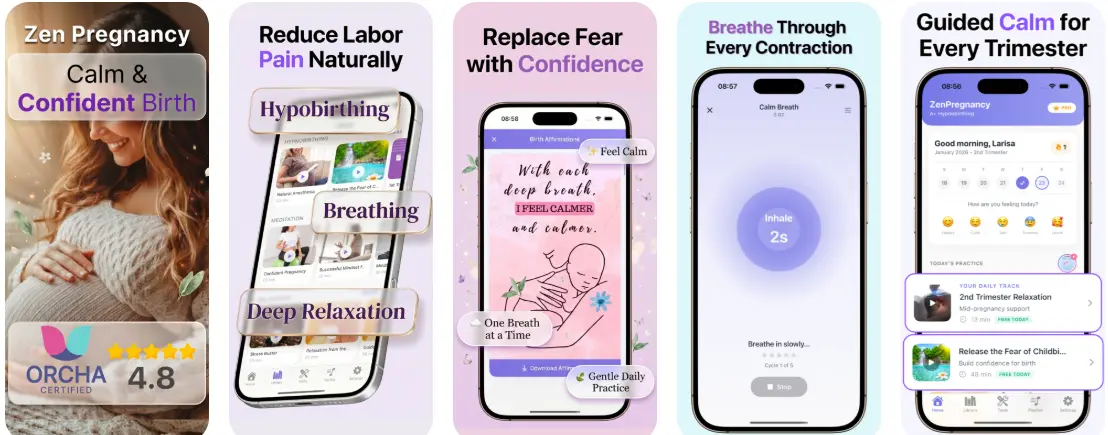
Tools like HypnoBirth App can support comfort with breathing, audio, and timing, but they should be treated as wellness support, not a medical device. Good hypnobirthing apps deliver breathing cues and calmer focus, not clinical clearance to stay home.
Five Facts About Contraction Timer Limits
- Timers record timestamps, not bodies. They can log start time, duration, and spacing, but they cannot measure cervical dilation, effacement, or fetal status.
- Warning symptoms override the screen. Bleeding, green or brown waters, reduced fetal movement, severe constant pain, or sudden vision changes need clinical advice even if contractions look “normal.”
- User input can be messy. If contractions stack close together or the laboring person is distracted, start and stop taps may be late. Sticky hospital socks, a birth ball in the corner, and a phone sliding under the sheet do not help accuracy.
- Pattern is not diagnosis. A timer cannot detect placental abruption, cord problems, infection, pre-eclampsia, or a hypertensive emergency.
- Calming features do not change diagnostic limits. Breathing prompts and birth affirmations may help you cope, but they do not make timing data medically stronger. For most families, a timer is often easier than memory because it gives clear numbers to share with triage.
Contraction Timer Mechanics Behind the Screen
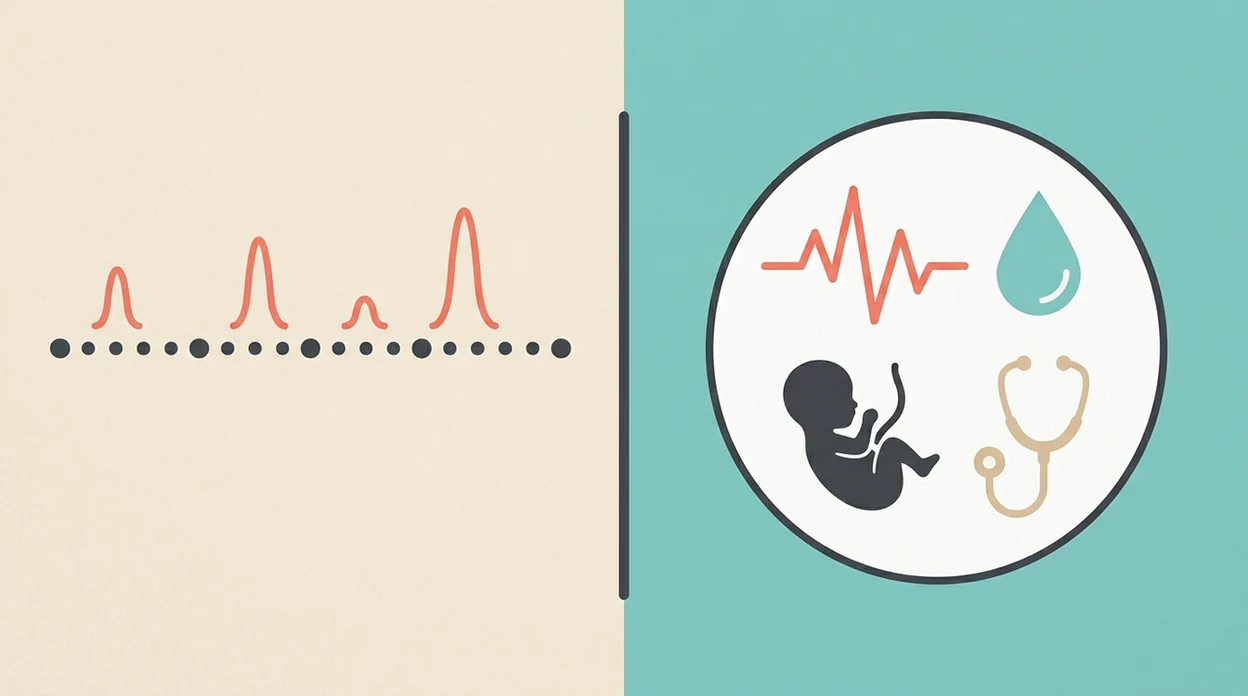
How contraction timers work is simple: you press start when you believe a contraction begins, then stop when you believe it ends. The app calculates duration, meaning the length of that contraction, and interval, meaning the time from one contraction’s start to the next start.
Some apps add pattern-recognition alerts, such as a 5-1-1 notice. That means contractions are about five minutes apart, one minute long, for one hour. It is a heuristic, a rough rule, not a diagnosis.
No sensor is checking your cervix. No fetal heart rate is being read. No clinician is feeling whether the uterus relaxes between surges.
Accuracy depends on human judgment under stress. During early labor, a partner timing practice surges may tap cleanly. During harder labor, the same partner may be pressing tennis balls into a lower back and miss the exact start.

4 Safe Uses for a Contraction Timer
A contraction timer is safe when it is used as an organizer, not a decision-maker. It gives you a running record that can help your care team understand what has been happening at home.
Four safe uses are:
- Share clear timing data when calling labor triage, your midwife, or your OB.
- Reduce early labor anxiety by giving shape to sensations that can feel scattered.
- Notice broad trends like contractions getting closer, longer, and stronger.
- Support your birth partner so they can report numbers instead of guessing.
Use your BRAIN questions if an app alert tells you to go in: benefits, risks, alternatives, intuition, and nothing for now. The most common medically supported way to decide next steps is timing information combined with symptoms and advice from your care team.
Clinical Problems a Contraction Timer Cannot Diagnose
A contraction timer cannot confirm active labor, and it cannot tell prodromal labor or Braxton Hicks from cervical change. Only clinical assessment can check dilation, effacement, fetal position, and how labor is progressing.
It also cannot detect placental abruption, cord problems, fetal distress, infection, pre-eclampsia, or hypertensive emergencies. A neat pattern on-screen can sit beside a problem that needs urgent review. That is why clinicians typically recommend calling for bleeding, reduced fetal movement, abnormal pain, concerning fluid color, or sudden swelling and vision changes.
The CDC notes that about 1 in 10 infants in the United States are born preterm (https://www.cdc.gov/reproductive-health/preterm-birth/index.html), so no app should assume contractions are happening in a low-risk full-term pattern. NICE intrapartum care guidance emphasizes clinical review for concerns such as reduced fetal movement, vaginal bleeding, or abnormal pain (https://www.nice.org.uk/guidance/ng235), so timing data should be secondary to symptom-based advice. If you are comparing tools, our guide to what app tracks contraction frequency explains the tracking side without treating it as diagnosis.
4 Myths About Contraction Timer Safety
Myth 1: A timer can tell you exactly when labor has started.
Reality: it records patterns only. It cannot confirm active labor without a cervical check and clinical context.
Myth 2: Regular contractions mean everything is safe.
Reality: complications can coexist with regular patterns. Call for warning signs, even if the app looks reassuring.
Myth 3: A calming hypnobirthing timer is medically validated.
Reality: relaxation features can steady breathing, but relaxation is not diagnostic accuracy. Slow breaths between Braxton Hicks may help you cope; they do not prove what your cervix is doing.
Myth 4: Popular or free apps meet medical-device standards.
Reality: most contraction timers are consumer wellness tools, not regulated clinical devices; the FDA treats only software intended for diagnosis, cure, mitigation, treatment, or prevention as medical-device software (https://www.fda.gov/medical-devices/digital-health-center-excellence/device-software-functions-including-mobile-medical-applications). A Cochrane review of fetal-movement counting found no clear evidence that self-tracking alone reduces perinatal death, which is a useful reminder that tracking can inform care but does not replace care (https://www.cochranelibrary.com/cdsr/doi/10.1002/14651858.CD004909.pub3/full).
Care Team Call Signs That Matter More Than a Timer
If in doubt, call. A contraction timer cannot decide whether you or your baby need assessment.
Signs That Override Any Timer Result
Call your midwife, OB, or triage now for vaginal bleeding, green or brown waters, reduced fetal movement, severe constant pain, sudden swelling, strong headache, or vision changes. Also call if something feels wrong and you cannot settle. That quiet gut feeling matters more than a tidy graph.
The 5-1-1 rule can help some full-term, low-risk labors, but it is only a rough guide. Second babies, VBAC plans, preterm symptoms, and higher-risk pregnancies may need a different plan.
When Timing Data Helps Your Midwife or OB
Timing is useful during early labor at home, before a triage call, or when your birth partner needs one clear job. A guide on how to time contractions on iPhone can help the support person handle the phone while you breathe.
For labor, a partner-operated timer is often more useful than self-timing because the laboring person can stay focused on coping, position changes, and one contraction at a time.
Medical Review and Sources
This page is educational only; it is not individualized medical advice, diagnosis, or a decision about when you should go to hospital or birth center. Your own midwife, OB, triage nurse, or local unit’s instructions always override general app guidance.
Safety wording is written to keep the app in a support role, then checked against public health guidance, maternity-care standards, evidence reviews, and clinician input. Source types include CDC materials, NICE guidance, Cochrane reviews, ACOG guidance where relevant, and practical review from clinicians familiar with labor triage.
Our review process is:
- Check safety claims against current maternity and public health guidance.
- Flag any wording that could sound diagnostic, such as implying an app can confirm labor or rule out complications.
- Review the page for clinical tone and clear escalation language before major updates.
- Update safety sections when major guidance changes, product claims change, or at least on a periodic review cycle.
Evidence for consumer contraction-timer apps is limited. They can organize timing data, but most are not studied as clinical tools and should not be treated as proof that labor is safe, normal, or progressing.
Limitations
Contraction timer limits are not small print. They are the safety boundary.
| Limitation | Why it matters |
|---|---|
| No cervical measurement | The app cannot assess dilation, effacement, or active labor. |
| No fetal wellbeing data | It cannot check fetal heart rate, oxygenation, or distress. |
| No infection or placenta assessment | Fever, abnormal pain, bleeding, and fluid changes need clinical review. |
| Unclear starts and stops | Accuracy drops when contractions are back-to-back or hard to define. |
| 5-1-1 does not fit everyone | Prior births, VBAC, preterm symptoms, and higher-risk pregnancies may change advice. |
| Comfort is not diagnosis | Hypnobirthing audio and breathing cues may help, but they do not make an app clinically smarter. |
| Alerts can mislead | Rigid app prompts may create false reassurance or unnecessary panic. |
Some apps overpromise with “virtual birth partner” language. No timer replaces in-person assessment, a blood pressure check, or a clinician listening to the baby.
See also: Pregnancy App With Kick Counter and Contraction Timer.
See also: Apple Watch Contraction Timer App for Labor.
Read more
- App That Guides Breathing Through Contractions
- App That Times Contractions And Guides Breathing
- Apple Watch Contraction Timer App Guide
- Best Contraction Timer With Breathing
- Can Contraction Timer Tell Labor
- Contraction Timer App Guide
- How To Breathe Through Contractions With Phone
- How To Time Contractions On Android
- How To Time Contractions On iPhone
- Pregnancy App With Kick Counter & Timer
- Surge Breathing For Labor
- What App Identifies Labor Surges
Best Contraction Timer Safety App for Calm, Informed Labour Tracking
HypnoBirth App pairs a simple contraction timer with free hypnobirthing tools to help you stay calm while recording patterns. It can support awareness of timing, frequency, and duration, but it cannot diagnose labour stage or replace advice from your midwife, doctor, or maternity unit.
Best for
- Tracking contraction patterns while using breathing and relaxation tools
- Staying grounded during early labour with a free hypnobirthing app used by 200k+ people
Limitations
- A contraction timer cannot confirm whether you are in active labour
- It cannot assess your baby’s wellbeing or tell you when birth is imminent
Frequently Asked Questions
What does a contraction timer app actually tell you?
A contraction timer app records the start time, end time, duration, and frequency of contractions. It helps you see a pattern over time, but it does not diagnose labour stage, baby’s wellbeing, or whether you should go to hospital. Use the information as a guide to share with your midwife, doctor, or maternity unit.
Can a contraction timer app tell me when I am in real labour?
No, a contraction timer app cannot confirm real labour on its own. It can show whether contractions are becoming longer, stronger, and closer together, but only a qualified care professional can assess your situation properly. Contact your maternity unit if you are unsure, especially if symptoms change or feel worrying.
When should I contact my midwife or hospital when timing contractions?
You should contact your midwife or hospital whenever you are concerned or when your local maternity guidance says to call. Many services suggest calling when contractions are regular and close together, but advice varies by pregnancy, hospital, and individual risk factors. Call sooner for bleeding, reduced baby movements, waters breaking, fever, severe pain, or anything that feels wrong.
Is it safe to rely on a contraction timer instead of medical advice?
No, it is not safe to rely on a contraction timer instead of medical advice. A timer records patterns, but it cannot assess cervical dilation, baby’s position, infection risk, foetal wellbeing, or complications. Treat the app as a note-taking tool, not a medical decision-maker.
Should I start using a contraction timer at 38 weeks pregnant?
Yes, you can start using a contraction timer at 38 weeks pregnant if you are having regular tightening or pains. Timing can help you describe what is happening more clearly to your care team. However, call your midwife or maternity unit if you have concerns, your waters break, baby’s movements reduce, or symptoms feel unusual.
Can a contraction timer help with pregnancy anxiety about labour?
Yes, a contraction timer can help pregnancy anxiety by giving you a simple way to track what is happening. Seeing a pattern may feel reassuring, but constant checking can also increase worry for some people. If anxiety feels overwhelming, speak with your midwife, GP, therapist, or antenatal support team.
Can first-time mums use a contraction timer safely?
Yes, first-time mums can use a contraction timer safely as a supportive tracking tool. First labours can be long and patterns may change, so the timer should not be the only basis for decisions. If you are a first-time mum and feel unsure, it is always appropriate to call your maternity unit for guidance.
Does a contraction timer tell me if I need an epidural?
No, a contraction timer does not tell you whether you need an epidural. Epidural decisions depend on your pain, preferences, labour progress, medical history, and what is available at your birth place. Discuss pain relief options with your midwife or doctor so you know what to expect before labour.
Is a contraction timer app better than an antenatal or hypnobirthing class?
No, a contraction timer app is not better than an antenatal or hypnobirthing class because they do different jobs. The app records contraction timing, while a class teaches labour signs, breathing, comfort measures, decision-making, and when to seek help. Many parents use both: education for preparation and an app for practical tracking.
What contraction pattern usually means labour is getting established?
Regular contractions that become longer, stronger, and closer together often suggest labour may be getting established. A common sign is contractions lasting around 60 seconds and coming every few minutes, but exact guidance differs between maternity units. Follow your local advice and call your care team if you are unsure.
Can a contraction timer detect Braxton Hicks contractions?
No, a contraction timer cannot reliably detect whether contractions are Braxton Hicks. Braxton Hicks are often irregular and may ease with rest, hydration, or changing position, while labour contractions tend to build in intensity and regularity. If tightening is painful, regular, early in pregnancy, or concerning, contact your care provider.
What are warning signs that matter more than contraction timing?
Warning signs matter more than contraction timing when they suggest you need prompt medical advice. Call your maternity unit urgently for reduced baby movements, heavy bleeding, severe headache, vision changes, significant abdominal pain, fever, green or brown waters, or feeling very unwell. Do not wait for a timer pattern if something feels wrong.