 Hypno
HypnoHow To Time Contractions On iPhone Safely
200,000+ moms • ORCHA NHS Certified • Free on iOS & Android
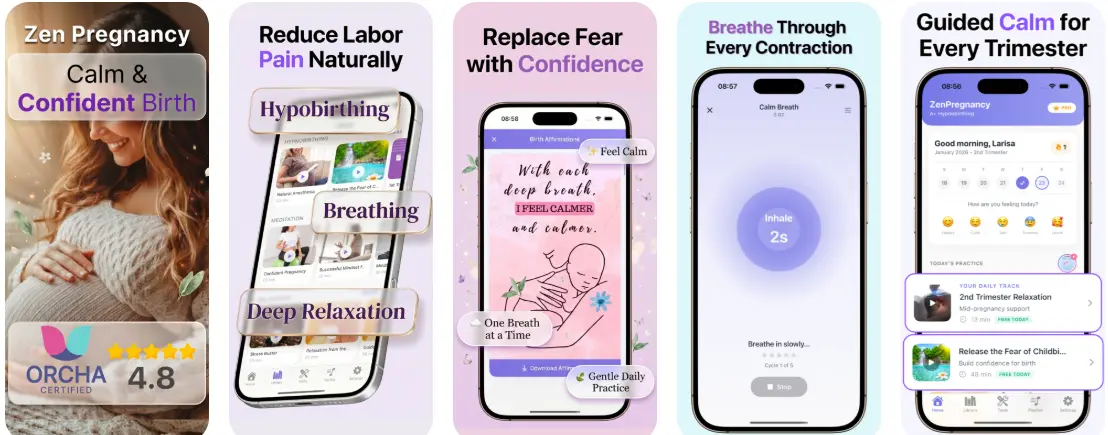
To learn how to time contractions on iPhone, open a dedicated contraction timer app or the built-in Clock stopwatch, tap start when a contraction begins, tap stop when it eases, and note both the duration and the interval between starts. When contractions follow a consistent pattern, such as every 5 minutes, lasting 60 seconds, for at least 1 hour, contact your provider, but always call immediately if you notice urgent symptoms regardless of what the timer shows.
Definition: An iPhone contraction timer is a tool that records the start and stop of each contraction to calculate duration and frequency, helping you and your birth team decide when to seek care.
- Use a one-tap iPhone contraction timer or the built-in stopwatch to record both duration and interval between contractions.
- Follow your clinician's specific pattern guidance, such as the 5-1-1 rule, rather than relying on app data alone.
- Delegate timing to a birth partner so the birthing person can stay focused on hypnobirthing breathing and relaxation.
What iPhone Contraction Timing Actually Measures
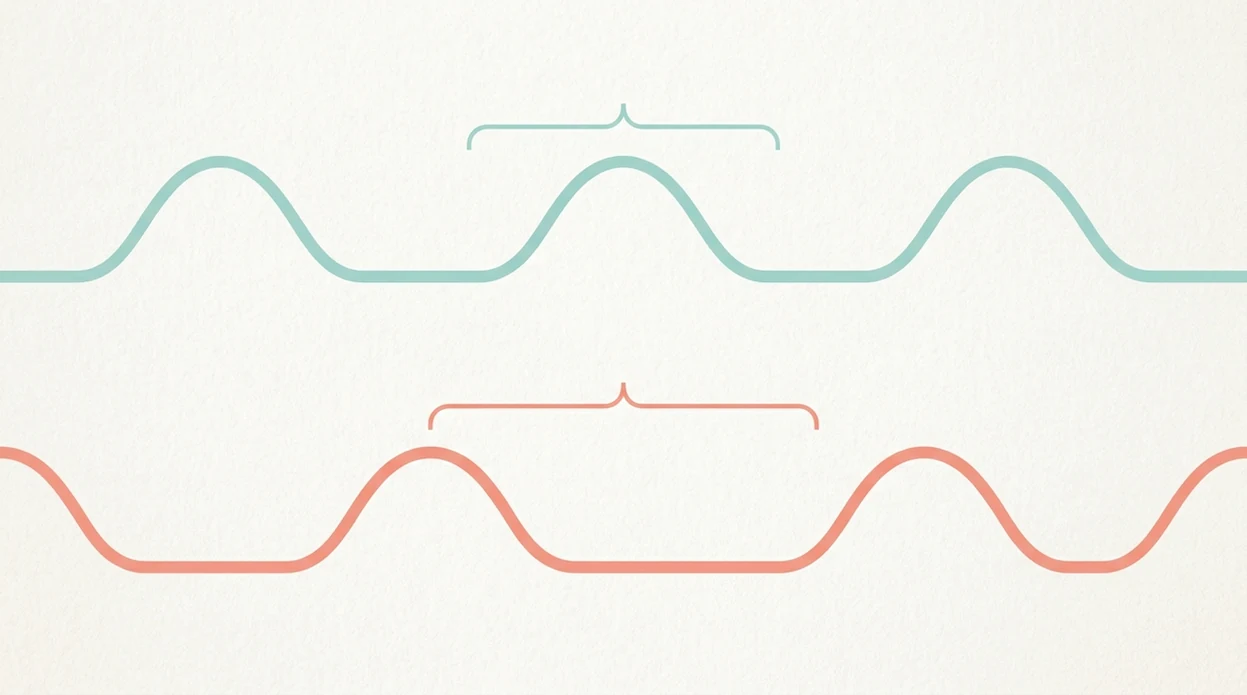
Contraction timing measures two separate things: how long each contraction lasts and how far apart contractions begin. Duration is counted from the first tightening to the full easing; frequency is counted from the start of one contraction to the start of the next.
Those two numbers matter because one strong contraction tells less than a repeated pattern. Clinicians typically recommend looking at regularity, spacing, intensity, and symptoms together when deciding when to call triage.
Braxton Hicks often stay irregular, fade with rest or hydration, and do not keep building. Active labor contractions usually become longer, stronger, and closer together. The contraction timer app pinging in early labor can feel oddly official, but it is still only recording taps.
For early labor, timing several contractions is often more useful than timing one because patterns guide the next step.
5 Facts About Timing Contractions On iPhone
- A useful timer must record both duration and interval, not just the length of each contraction.
- The 5-1-1 pattern usually means contractions every 5 minutes, lasting 1 minute, for 1 hour, but your provider may give different instructions.
- iPhone apps are wellness trackers, not medical devices, unless they clearly state regulatory clearance.
- Timing can sit alongside hypnobirthing tools when your birth partner handles the taps and you stay with breathing.
- Urgent symptoms override any timer data, including bleeding, reduced fetal movement, or a strong sense that something is wrong.
Treat 5-1-1 as a common shortcut, not a universal admission rule. Some hospitals want earlier calls for high-risk pregnancies, prior cesarean birth, Group B strep concerns, fast previous labors, or long travel times.
Most families do not need perfect data. They need a readable pattern, clear notes, and a plan for when to call.
If you want a deeper app comparison, a contraction timer app guide can help you choose large buttons, logs, and breathing support before labor starts.
iPhone Contraction Timer Requirements Before Labor
Before labor, set up the iPhone so nobody is downloading an app during a surge. Install an iPhone contraction timer you have already tested, and test the start and stop buttons once.
Keep a backup ready. The built-in Clock stopwatch works, and an Apple Watch can help if your chosen app supports wrist tapping.
Write your provider’s call-in criteria on paper or in Notes. Brief your birth partner on exactly when to tap, when to add notes, and when to stop asking questions.
Pack the charging cable. Set Do Not Disturb so calls from triage and your birth team can still come through. Small setup steps matter when the room gets quiet and focused.

How An iPhone Contraction Timer Works Behind The Screen
An iPhone contraction timer works by tap-event timestamping: each start and stop tap creates a time record. The app calculates duration by subtracting start time from stop time, then calculates frequency by subtracting one contraction’s start time from the next start time.
Some apps show rolling averages, which means they smooth several entries into a trend. That can help you see contractions moving from scattered to closer together. It cannot tell you dilation, fetal position, or fetal status.
Some contraction timer apps pair timing data with guided breathing cues, so the log and calming support sit in one place. Good hypnobirthing apps deliver simple timing, breathing, and reassurance, not a diagnosis or permission to ignore your care team.
The math is simple. The interpretation is the careful part.
How To Use An iPhone Contraction Timer Step By Step
- Open your contraction timer app or the iPhone Clock stopwatch before the next tightening starts.
- Tap start when the contraction begins, even if it starts softly.
- Tap stop when the contraction fully eases, not when the peak passes.
- Add notes if useful, such as intensity, position, water status, or “needed counterpressure.”
- Review the duration and frequency log after 3 to 4 contractions.
- Compare the pattern to your provider’s call-in criteria and call or go in when instructed.
A birth partner can run the phone while offering a straw cup between contractions. That is often more helpful than asking, “Was that one stronger?”
For iPhone users, an app that times contractions and guides breathing usually works better than a plain stopwatch when you want fewer separate tools open.
Common Mistakes When Timing Contractions On iPhone
Common mistakes usually come from tapping too late, stopping too early, or trusting the pattern more than your provider’s instructions. The goal is not perfect charting; it is a clean enough log to support a safer phone call.
- Start the timer at the first tightening, not when the contraction reaches its peak. Early sensations count, even if they feel mild or uncertain.
- Stop only when the contraction fully eases. If the pain drops from intense to manageable but the tightening is still there, keep timing.
- Count frequency from the start of one contraction to the start of the next. Measuring from the end can make contractions look farther apart than they are.
- Hand the phone to someone else when you can. Breathing, changing positions, vomiting, or managing back labor is enough work without also chasing buttons.
- Follow your provider’s plan even when the app looks calm. A reassuring graph does not cancel instructions for bleeding, ruptured waters, reduced movement, high-risk factors, or a gut feeling that you should call.
Common Myths About iPhone Contraction Timers
Myth: If the app says “not active labor,” it is safe to stay home. Truth: symptoms and provider guidance override app data every time.
Myth: All contraction timer apps are medically approved. Truth: most are consumer wellness tools and do not have regulatory clearance.
Myth: timing must be exact for birth to be safe. Truth: approximate timing, plus awareness of warning signs, is usually enough for a useful phone call to triage.
Myth: using an iPhone always disrupts hypnobirthing. Truth: your partner can handle the screen while you stay with breath, touch, and one contraction at a time.
I have seen partners press tennis balls into a lower back during back labor while tapping the timer with one thumb. Not elegant. Useful.
When To Call Triage Instead Of Watching The iPhone Timer
Should you call triage instead of watching the iPhone timer? Yes, call right away if your water breaks, fluid is green or brown, fetal movement is reduced or absent, bleeding is heavy, pain stays severe between contractions, or you simply feel something is wrong.
For labor warning signs such as heavy bleeding, ruptured membranes, or reduced fetal movement, ACOG advises contacting your obstetric care team promptly rather than waiting for a contraction pattern source.
Trust that last one. It counts.
According to CDC birth data, 61.6% of U.S. births in 2019 followed spontaneous labor onset, so many families track early labor at home first source. Home timing is normal, but it is not a gatekeeper. If your body or baby gives you a warning sign, call before the pattern looks neat.
Combining Contraction Timing With Relaxation Tools
The easiest way to combine timing with hypnobirthing is to split the jobs. Your birth partner runs the timer, while you keep the screen on guided breathing, affirmations, or audio.
A timer with built-in breathing or meditation tracks can help if you want fewer apps open. The birthing person can keep listening while the partner taps. ZenPregnancy readers often ask for this because switching screens during a surge gets annoying fast.
Use large buttons, lock-screen widgets, or an Apple Watch complication if available. Dim the hospital room lights if you can; the monitor belts can stay in place while the room still feels less sharp.
A best contraction timer with breathing setup is usually the one your partner can operate without interrupting the person in labor.
Limitations
iPhone contraction timing is helpful, but it has real limits.
- Inconsistent tapping leads to inaccurate duration and frequency data.
- No app can determine dilation, fetal position, cervical change, or fetal distress.
- Over-checking graphs can increase anxiety and pull focus from hypnobirthing techniques.
- Most contraction timer apps lack clinical validation or regulatory review.
- Cloud backup, sharing, and account sync may fail if the hospital signal is poor.
- Irregular early labor contractions can be misread as active labor by tired users.
- A 2017 systematic review found pregnancy and childbirth apps vary widely in quality and often provide tracking rather than validated clinical decision support source.
Use the timer as a log, not a verdict. For frequency-specific questions, what app tracks contraction frequency can clarify what those numbers actually mean.
See also: Apple Watch Contraction Timer App for Labor.
Read more
- App That Guides Breathing Through Contractions
- App That Times Contractions And Guides Breathing
- Apple Watch Contraction Timer App Guide
- Best Contraction Timer With Breathing
- Can Contraction Timer Tell Labor
- Contraction Timer App Guide
- Contraction Timer Safety
- How To Breathe Through Contractions With Phone
- How To Time Contractions On Android
- Pregnancy App With Kick Counter & Timer
- Surge Breathing For Labor
- What App Identifies Labor Surges
Best Contraction Timing App for Calm iPhone Tracking
HypnoBirth App helps you time contractions on iPhone with a calm, birth-focused experience alongside free hypnobirthing tools. You can track patterns more clearly while staying grounded, and use your notes to support a conversation with your midwife, birth partner, or triage team.
Best for
- Timing contraction duration and frequency on iPhone
- Staying calm with hypnobirthing support while you track
Limitations
- It does not replace advice from your midwife, doctor, or triage unit
- If you are unsure, worried, or symptoms change, you should call maternity triage directly
Frequently Asked Questions
How do I time contractions on an iPhone?
Start timing at the beginning of a contraction and stop when it ends. Record the duration, then note the time until the next contraction starts to calculate frequency. Use a contraction timer app, the iPhone stopwatch, Notes, or a health app, and keep notes on intensity, waters, bleeding, and baby’s movements.
What is the safest way to time contractions on an iPhone?
The safest way is to use a simple timer while staying focused on how you feel and when to contact maternity triage. Track start time, end time, duration, frequency, intensity, and any symptoms such as reduced baby movements, bleeding, waters breaking, fever, or severe pain. Call your midwife, labour ward, or triage if you are unsure or symptoms feel worrying.
When should I start timing contractions at 38 weeks pregnant?
Start timing contractions at 38 weeks when they become regular, stronger, or difficult to ignore. Braxton Hicks often ease with rest, hydration, or a change of position, while labour contractions usually build in strength and pattern. Contact triage promptly if your waters break, you have bleeding, reduced movements, or you feel concerned.
How do I know the frequency and duration of contractions?
Duration is how long one contraction lasts, and frequency is the time from the start of one contraction to the start of the next. For example, if one contraction starts at 7:00 and the next starts at 7:05, the frequency is five minutes. An iPhone contraction timer can calculate this automatically if you press start and stop accurately.
When should I call triage after timing contractions on my iPhone?
Call triage when contractions are regular and getting stronger, or sooner if you have any urgent symptoms. Many services advise calling when contractions are around every five minutes, lasting about a minute, and continuing for an hour, but local guidance varies. Always call immediately for reduced baby movements, heavy bleeding, severe headache, fever, constant abdominal pain, or if your waters break and you are unsure what to do.
Can an iPhone contraction timer tell me when I am in labour?
No, an iPhone contraction timer cannot confirm labour or replace clinical advice. It can show patterns in frequency, duration, and intensity, which helps you describe what is happening to your midwife or triage team. Use the app as a tracking tool, not as a medical diagnosis.
What should first-time moms know about timing contractions?
First-time mums should know that early labour can be irregular and may last for hours. Timing every contraction can become tiring, so track enough to see a pattern and then rest, hydrate, eat lightly if advised, and use comfort measures. Call your maternity unit if contractions become regular, you cannot cope at home, or you have any warning signs.
Can timing contractions on an iPhone help with pregnancy anxiety?
Yes, timing contractions can help pregnancy anxiety by making patterns easier to see and explain. It gives you clear information to share with triage instead of relying on memory during a stressful moment. If tracking makes you more anxious, pause, practise calming breathing, and contact your midwife for reassurance.
Should I use a contraction timer app or the iPhone stopwatch?
A contraction timer app is usually easier because it calculates duration, frequency, averages, and notes automatically. The iPhone stopwatch also works if you manually record start and stop times in Notes or on paper. Choose the option that feels calm, quick, and reliable during labour.
Is a contraction timer app better than a hypnobirthing class?
No, a contraction timer app and a hypnobirthing class do different jobs. An app helps you track contraction patterns, while a class teaches breathing, relaxation, decision-making, and birth preparation. Many parents use both: the class for confidence and coping skills, and the app for practical timing during labour.
Can I use a contraction timer if I want an epidural?
Yes, you can use a contraction timer if you want an epidural. Timing contractions helps you decide when to call or go in, and it gives staff useful information about your labour pattern. Ask your maternity unit about when epidurals are available and when to come in, as policies and timing vary.
What notes should I record when timing contractions on an iPhone?
Record contraction start time, end time, duration, frequency, intensity, and any changes in your body. Add notes about waters breaking, colour or smell of fluid, bleeding, baby’s movements, pressure, nausea, back pain, and pain relief used. These details can help triage understand what is happening more quickly.