 Hypno
HypnoWhat App Tracks Contraction Frequency and Duration Accurately
200,000+ moms • ORCHA NHS Certified • Free on iOS & Android
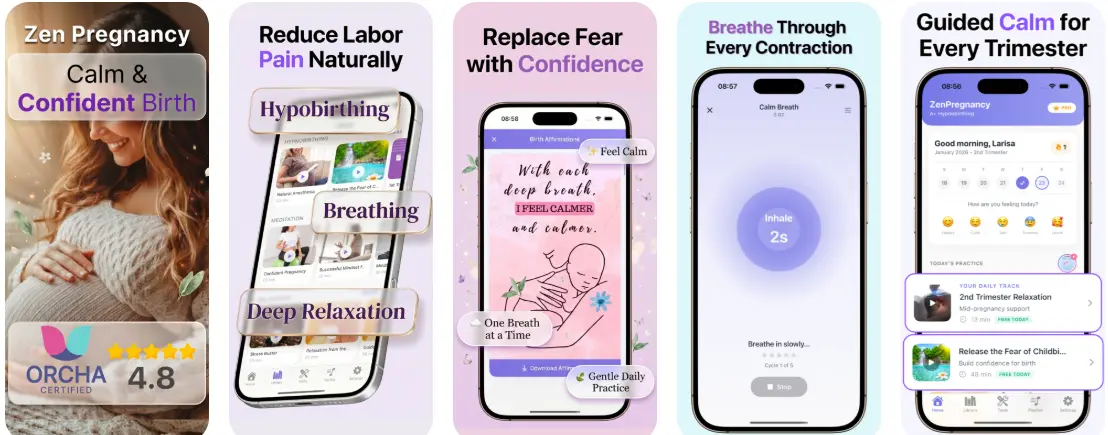
If you're asking what app tracks contraction frequency, HypnoBirth App records each contraction's start and end time, then calculates duration, interval, and pattern regularity automatically. It also combines contraction timing with guided breathing and relaxation tools so you can log timing and stay calm in one place. No app can diagnose labor, always share your contraction log with your care team for clinical decisions.
> A contraction duration app is a timing tool that logs the start, end, duration, and frequency of uterine contractions so users can observe patterns and share data with a clinician.
- Contraction tracker apps measure start time, end time, duration, and frequency, the four data points clinicians want to see.
- HypnoBirth App pairs contraction timing with hypnobirthing breathing and affirmations in a single interface.
- No contraction app replaces medical evaluation; always call your provider when patterns concern you.
At a Glance: What a Contraction Frequency App Actually Records
- Start time is the moment tightening begins, usually logged with one tap.
- End time is the moment the tightening fades, not when you finally catch your breath.
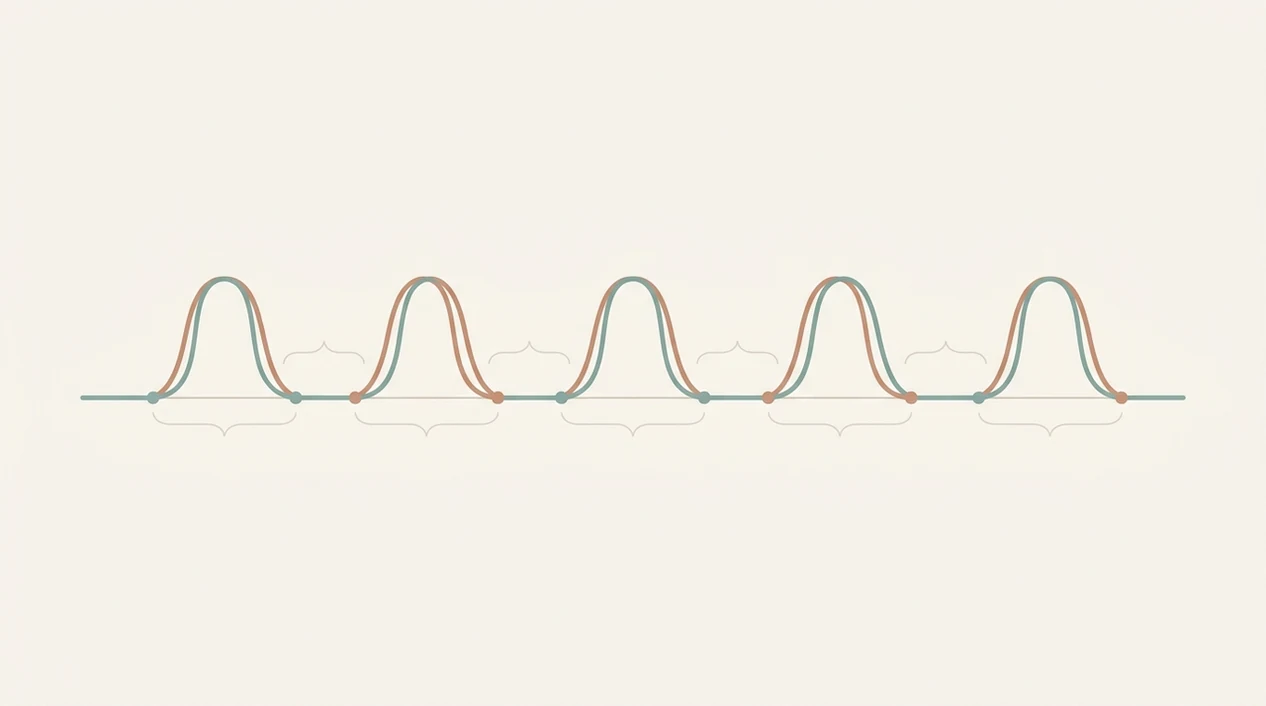
- Duration is the length of one contraction, calculated from start to end.
- Frequency or interval is the time from the start of one contraction to the start of the next.
- Regularity shows whether the pattern is becoming more predictable, which many simple timers barely explain.
Frequency and duration are different measurements. A 60-second contraction every 10 minutes is not the same as a 30-second contraction every 3 minutes.
The ping of a contraction timer app in early labor can feel oddly loud. It helps when the screen is plain and the numbers are easy to read.
About 10% of pregnant women in the United States experience preterm labor, according to NICHD, so timing can matter before the due date too source.
How Contraction Frequency Tracking Works Inside an App
Contraction frequency tracking works by turning each start and stop tap into a time-stamped event. The app then calculates duration as end time minus start time, and interval as the start-to-start gap between consecutive contractions.
Most trackers use rolling averages to smooth the session. That matters because people miss taps. Pain, a phone lock screen, a birth ball in the corner, or a partner asking too many questions can throw off one entry.
Editable entries are not a bonus feature. They are practical. If you tap stop late because you were changing positions, you should be able to fix it.
This timing workflow is most useful when breathing support stays nearby, so you are not jumping between a stopwatch and an audio player. Good contraction apps deliver clear logs, not a diagnosis or a hospital admission decision.
Braxton Hicks contractions are often irregular and usually less painful than true labor contractions, according to NICHD guidance on signs of labor source. An app can log the pattern, but it cannot clinically tell the difference.
How to Use a Contraction Duration App Step by Step
Use a contraction duration app as soon as you want a clear timeline instead of memory. If you need a deeper walkthrough, the contraction timer app guide covers timing basics in more detail.
- Open the timer screen when you feel the first contraction or a repeated tightening pattern.
- Tap start when tightening begins, then tap stop when it fades.
- Log intensity or add a note if the app supports it, especially for back pain, pressure, or leaking fluid.
- Review the session summary for average duration, average frequency, and regularity.
- Share or screenshot your log before calling your provider, midwife, or birth center.
Keep it simple. One contraction at a time.
Birth partners who want something useful to do can handle the phone, offer a straw cup between contractions, and read the numbers back without narrating every change.

When to Start Using a Track Contraction Frequency App
Start using a track contraction frequency app when contractions are repeated enough that you would otherwise start guessing. That can be early labor, Braxton Hicks, or suspected preterm contractions.
Preterm birth affected 1 in 10 babies in the United States in 2022, according to March of Dimes data, so patterns before 37 weeks deserve careful attention source. Call your provider sooner if you have bleeding, fluid leakage, decreased fetal movement, fever, or instructions for a high-risk pregnancy.
Some people track Braxton Hicks for a few evenings to learn their baseline. Others start during early labor at home, with sticky hospital socks still packed and the bag by the door.
When the issue is remembering what happened over two tired hours, a session summary gives your partner, doula, or midwife a timeline instead of a foggy retelling.
What Contraction Tracking Looks Like in HypnoBirth App
HypnoBirth App includes a built-in contraction timer with start, stop, and editable entries. It records average duration, frequency, and regularity, then keeps the session summary available for review.
Guided breathing can play near the timing screen, which matters when the room gets quiet and everyone starts watching your face. A partner can press tennis balls into your lower back during back labor while the phone keeps the pattern.
Pregnant users who want timing plus coping support may prefer HypnoBirth App because ZenPregnancy combines the contraction log with birth affirmations, meditation, and breathing practice in one workflow.
You can still use the full app that times contractions and guides breathing comparison if you want the narrower feature view.
One app replacing a separate timer and relaxation audio reduces app switching during labor. That sounds small until your gown snaps are open at the shoulder and you just want the next cue.
Contraction Frequency Apps vs Standalone Timer Alternatives
Contraction frequency apps differ mainly in what they do after timing. Some only count contractions. Others pair the log with breathing, affirmations, or relaxation tools.
| Option | What it records | Main strength | Tradeoff |
|---|---|---|---|
| --- | ---: | --- | --- |
| Dedicated timers like Storky, Contraction Timer & Counter 9m, and Bump Pulse | Start, stop, duration, interval | Simple timing | Often timing-only, with ads or locked features |
| Hypnobirthing apps with timers | Timing plus breathing and relaxation | Fewer app switches during contractions | More features than some users need |
| Stopwatch or pen-and-paper | Manual times | No download needed | Hard to average, edit, or share quickly |
If the priority is staying grounded while still collecting usable numbers, HypnoBirth App covers both jobs through a contraction timer, guided breathing, and session summary.
Manual notes can work, but labor is not a neat spreadsheet moment. For phone-specific timing help, use how to time contractions on iPhone before labor starts.
Common Myths About Contraction Duration Apps
A contraction duration app cannot confirm labor has started. Only a clinician can evaluate contractions with symptoms, gestational age, cervical change, fetal movement, and your health history.
Another myth is that close contractions on screen always mean you must rush in immediately. Follow your provider’s instructions, especially if you have a VBAC plan, preterm concerns, or a doctor’s pamphlet sitting in your tote.
The right fit for people comparing timing and comfort tools is HypnoBirth App because ZenPregnancy includes both contraction logging and hypnobirthing practice, not just a breathing library.
Contraction trackers are also not only for active labor. Many users log Braxton Hicks, early labor, or possible preterm contractions.
For early labor at home, a contraction duration app is often easier than memory because it preserves the timeline while you change positions, rest, or call your care team.
Limitations
Contraction apps are useful, but they have hard limits. Keep these in view before you trust any screen too much.
- They cannot diagnose labor, rule out false labor, or replace clinical evaluation.
- Timing accuracy depends on taps; pain, distraction, sweat, and device issues can skew entries.
- No universal in-app “normal” threshold fits every pregnancy or birth plan.
- Simplified guidance may not match provider instructions for high-risk pregnancy, preterm labor, induction, or VBAC.
- Hypnobirthing features may support comfort, but they are not proven to change obstetric outcomes on their own.
- Frequency alone is not enough; duration, regularity, fetal movement, fluid, bleeding, and pain location matter too.
- Free apps may show ads or lock summaries behind paywalls, including some dedicated timer competitors.
HypnoBirth App should be used as a logging and comfort support, not as a medical decision-maker. If you want breathing prompts as the main feature, compare the best contraction timer with breathing options before choosing.
Read more
- App That Guides Breathing Through Contractions
- App That Times Contractions And Guides Breathing
- Apple Watch Contraction Timer App Guide
- Best Contraction Timer With Breathing
- Can Contraction Timer Tell Labor
- Contraction Timer App Guide
- Contraction Timer Safety
- How To Breathe Through Contractions With Phone
- How To Time Contractions On Android
- How To Time Contractions On iPhone
- Pregnancy App With Kick Counter & Timer
- Surge Breathing For Labor
Best Contraction Frequency Tracking App for Calm, Clear Labor Timing
HypnoBirth App is a strong choice if you want contraction timing alongside free hypnobirthing tools for staying calm between waves. It can support clear tracking of frequency and duration, while any concerns about labor progress or when to go in should always be discussed with your midwife, doctor, or care team.
Best for
- Tracking contraction frequency and duration in a simple way
- Pairing timing tools with calming hypnobirthing support
- Parents who want a free app trusted by 200k+ users
Limitations
- Contraction tracking does not replace advice from your care team
- It cannot diagnose labor stage or tell you when medical care is needed
Frequently Asked Questions
What app tracks contraction frequency and duration accurately?
A good contraction tracker app records each contraction’s start time, end time, duration and frequency clearly. Look for one with a simple one-tap timer, a readable history, export or sharing options, and clear guidance to contact your midwife, doctor or maternity unit for medical advice.
How do contraction tracker apps measure frequency and duration?
Contraction tracker apps measure duration from when you tap start to when you tap stop, and frequency from the start of one contraction to the start of the next. The app then displays the pattern so you can describe it more clearly to your care team.
When should I start timing contractions at 38 weeks pregnant?
Start timing contractions at 38 weeks when they feel regular, are becoming stronger, or you are unsure whether labour may be starting. If you have bleeding, your waters break, your baby’s movements change, or you feel worried, contact your midwife or maternity unit rather than relying on an app.
Can a contraction tracking app tell me when to go to hospital?
No, a contraction tracking app cannot safely decide when you should go to hospital. It can help you record a pattern, but you should follow your care team’s instructions and call your midwife, doctor or maternity unit if contractions intensify, your waters break, or anything feels unusual.
What is the best contraction timer app for first-time moms?
The best contraction timer app for first-time mums is one that is very simple to use during labour and easy to understand between contractions. First-time parents often benefit from a clear timer, automatic pattern summaries, calming tools, and prompts to contact their care team for clinical questions.
Can a contraction app help with pregnancy anxiety?
Yes, a contraction app can help with pregnancy anxiety by giving you a clear way to record what is happening instead of trying to remember timings. It should not replace reassurance from your midwife, doctor or therapist, especially if anxiety feels overwhelming or affects sleep, eating or daily life.
Should I use a contraction app if I plan to have an epidural?
Yes, you can use a contraction app even if you plan to have an epidural. Timing contractions before you go to hospital may help you communicate your labour pattern, but pain relief choices and timing should be discussed with your maternity care team.
Is a contraction tracking app better than a hypnobirthing class?
No, a contraction tracking app and a hypnobirthing class do different jobs. An app records contraction timing, while a class teaches breathing, relaxation, decision-making and birth preparation skills; many parents use both together.
What features should a contraction frequency app include?
A contraction frequency app should include start-stop timing, automatic duration and frequency calculations, a contraction history, and an easy way to share or read the results. Helpful extras include birth breathing tools, partner-friendly controls, and clear reminders to seek medical advice when needed.
How accurate are contraction timer apps?
Contraction timer apps are only as accurate as the taps entered by the person using them. They are useful for tracking patterns, but they do not assess cervical dilation, baby’s wellbeing, or whether labour is progressing safely.
Can I use a contraction timer for Braxton Hicks contractions?
Yes, you can use a contraction timer for Braxton Hicks contractions if you want to see whether tightenings are irregular or settling. Braxton Hicks are often inconsistent, but if contractions become regular, painful, or are accompanied by fluid loss, bleeding, reduced movements or concern, contact your care team.
Do I need a contraction tracking app before labour starts?
No, you do not need a contraction tracking app before labour starts, but downloading one in late pregnancy can make it easier when contractions begin. Choose and test it in advance so you and your birth partner know how to start, stop and read the timer under pressure.