 Hypno
HypnoWhat App Identifies Labor Surges And Their Patterns
200,000+ moms • ORCHA NHS Certified • Free on iOS & Android
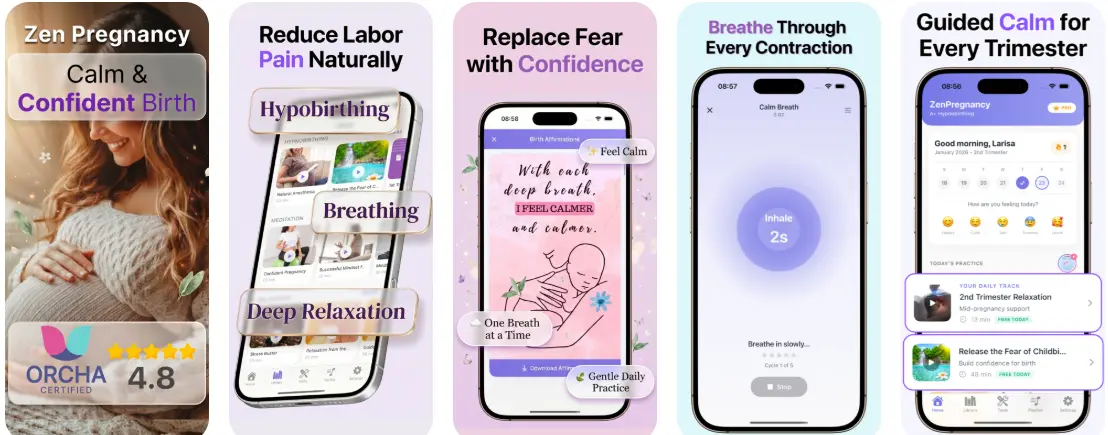
If you're wondering what app identifies labor surges, the answer is a contraction or surge timer app that logs your taps at the start and end of each wave, then calculates frequency, duration, and rest intervals. Apps like HypnoBirth App can pair timing with breathing prompts and affirmations, but no app can diagnose active labor, measure cervical dilation, or detect fetal distress.
Definition: A labor surge app is a contraction-timing tool that records user-entered start and stop times for each surge, analyzes frequency and duration patterns, and may pair timing data with hypnobirthing relaxation features; it cannot clinically confirm labor or assess fetal wellbeing.
TL;DR
- Surge timer apps log your manual taps to calculate contraction frequency, duration, and patterns—they never diagnose labor.
- Hypnobirthing apps like HypnoBirth App add breathing guidance, affirmations, and calming audio alongside the timer.
- No app replaces clinical assessment: the WHO defines active labor by cervical dilation, which only a provider can measure.
- Surge timer limits include user-input errors, misleading patterns during inductions, and no ability to detect fetal distress.
- Assign the timer to your birth partner so you can stay in a calm, inward-focused hypnobirthing state.
What A Labor Surge App Actually Identifies
A labor surge app identifies timing patterns, not labor itself. It records when someone taps “start” at the beginning of a surge and “stop” when the wave eases.
The app then calculates three basic numbers: how often surges come, how long each one lasts, and how much rest sits between them. Many apps show these patterns against familiar guidelines like 5-1-1, which means surges every 5 minutes, lasting 1 minute, for 1 hour.
That is pattern display, not diagnosis.
Hypnobirthing apps often use the word “surge” instead of “contraction” because the language feels less clinical and less tense for some parents. I’ve seen that help in early labor, especially when the contraction timer app pings and the room still feels calm enough for soft voices and snacks.
For most families, a surge app is a notebook with math, not a medical tool.
How A Surge Timer Works Behind The Screen
A surge timer works by timestamping each tap, then using those timestamps to calculate rolling averages. In plain language, it turns your start-stop entries into a running pattern.
The app compares recent surges with general timing rules such as 5-1-1, 4-1-1, or 3-1-1. Some apps may show a prompt that says labor appears more regular. That prompt is based on timing only. The World Health Organization describes the active first stage of labor as beginning at 5 cm cervical dilation, and an app cannot check a cervix (WHO: https://www.who.int/publications/i/item/9789241550215).
No consumer surge timer has sensor input for the uterus, fetal heart rate, or cervical change. It is not FDA-cleared to diagnose labor or monitor fetal wellbeing.
Tools like HypnoBirth App layer breathing cues and birth affirmations over timing data, so the timer does not become the whole focus. Good hypnobirthing apps offer timing, breathing, and calming scripts, not medical clearance to stay home or go in.
How To Use A Labor Surge App
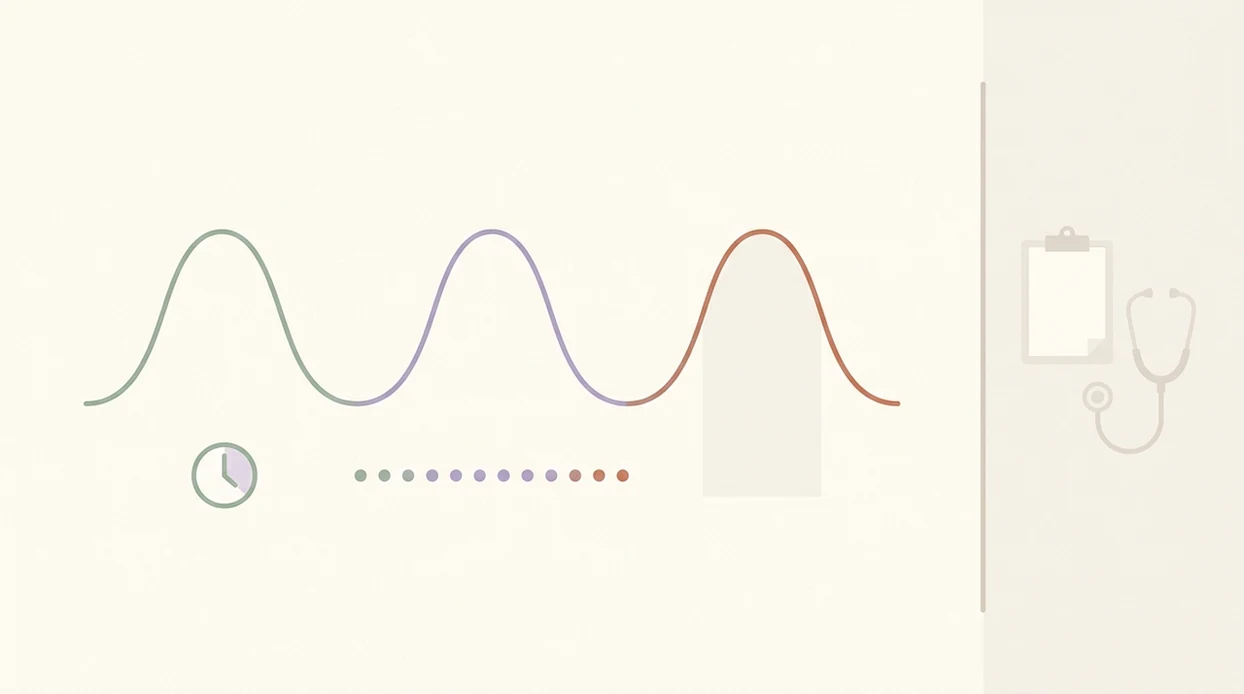
Use a labor surge app as a calm logging tool: open it early, tap clearly, and review the pattern over several waves. Let the app support your call to the midwife, doctor, or triage unit, but do not let the screen make the decision for you.
- Open the timer while surges are still manageable, before they become so strong that explaining what you feel is difficult. If you have a birth partner, hand them the phone early.
- Tap start when the wave has clearly begun and is building, not at the first vague cramp or uncertain twinge. A few consistent taps are more useful than anxious over-timing.
- Tap stop when the tightening has eased enough that you can breathe, speak, or soften your body again. The exact second matters less than using the same rule each time.
- Review the recent pattern across frequency, duration, and rest intervals. Look at several surges together rather than one dramatic contraction.
- Call your provider according to their instructions, especially if symptoms change, risk factors apply, or your intuition says something is off. Use the app data as helpful notes for that conversation.

Five Facts About Labor Surge Apps Every Parent Should Know
- Manual input is the data source. A labor surge app only knows what you tap, so late taps, missed taps, and guessed endings change the pattern.
- Apps can estimate patterns, not dilation. A regular screen pattern may suggest labor is building, but only a clinician can assess cervical change.
- Hypnobirthing apps add regulation tools. Many combine surge timing with breathing, visualization, birth affirmations, or short guided meditation for pregnancy.
- Relaxation has evidence behind it. A Cochrane review found that relaxation techniques in labor, including breathing and visualization, may reduce pain intensity and anxiety compared with usual care, though study quality varies (Cochrane: https://www.cochranelibrary.com/cdsr/doi/10.1002/14651858.CD009514.pub2/full).
- Most U.S. births happen with clinical assessment. Per the CDC, 98.4% of U.S. births in 2021 occurred in hospitals, where clinicians assess labor with exams, monitoring, and the full clinical picture.
For a parent comparing features, the best contraction timer with breathing is often easier to use in labor than a bare timer because the next breath cue is already on the screen.
Surge Timer Limits During Induction, Epidural, And Atypical Labor
Surge timer limits matter most when labor does not follow a textbook rhythm. Induction, epidural use, back labor, prodromal labor, multiples, VBAC, and higher-risk pregnancies all need more than timing data.
Per CDC survey data, 42.9% of U.S. women who had a vaginal birth in 2014 reported induced labor. Induction medications can create strong, frequent contractions that do not mean the same thing as spontaneous early labor patterns.
An epidural can also make start and end points harder to feel. The timer may look neat while the body is giving quieter signals. Back labor can feel like one long ache, especially when a partner is pressing tennis balls into the lower back between waves.
Provider-specific instructions override the app every time. If your midwife says to call sooner because of VBAC history, blood pressure, reduced movement, or distance from the hospital, use that plan.
Reset the plan.
Common Myths About What A Labor Surge App Can Do
A labor surge app cannot tell you that you are definitely in active labor. It can only show that your manually timed surges are becoming longer, closer, or more regular.
Another myth is that regular surges on the screen mean you should go to the hospital immediately. Sometimes yes, but sometimes early labor settles down after a bath, rest, or a change in position. Your symptoms and provider’s instructions matter more than the app prompt.
A timer also cannot predict dilation speed or the time of birth. Labor is not a countdown clock. I’ve watched steady early patterns pause for hours, then shift quickly after a position change or ruptured membranes.
Hypnobirthing surge timers are not only for unmedicated or home births. Breathing prompts, quiet affirmations, and a steady rhythm can still help with an epidural, induction, planned cesarean, or hospital birth with monitor belts in place.
Labor Surge App Or Hospital Triage: A Binary Decision Guide
Use the app when you are timing early labor, practicing with Braxton Hicks, or trying to stay calm at home. It helps you answer, “How far apart are these?” without doing math during every wave.
Call your provider or go to triage for bleeding, reduced fetal movement, waters breaking, fever, severe pain that does not ease, or a persistent feeling that something is wrong. The app data can support the call, but it does not replace clinical evaluation.
Clinicians typically recommend calling your maternity unit or provider when symptoms change, risk factors apply, or you are unsure, because labor stage and fetal wellbeing cannot be confirmed by timing alone.
Assign the timer to your birth partner if you can. Let them tap the screen, offer the straw cup between surges, and keep questions short. For many birthing people, partner-led timing is better than self-timing because it protects the inward focus needed for relaxation.
What A Hypnobirthing Surge App Covers Beyond Timing
A hypnobirthing surge app may cover more than timing by pairing a contraction timer with guided meditation, breathing exercises, birth affirmations, and daily pregnancy relaxation practice. That matters because labor tools work better when they are familiar before labor day.
A timer you first open in active labor can feel like one more job. A timer connected to practiced breathing feels different. You already know the voice, the count, and the next cue. Small things matter when the hospital bag is open on the floor and nobody remembers where the phone charger went.
According to a Cochrane review, relaxation techniques in childbirth education, including breathing and visualization, are linked with lower pain intensity and anxiety compared with usual care.
Use the app alongside birth preferences, not instead of them. Share your plan with your care team, name who will run the timer, and decide when the birth partner should stop timing and start calling. For a closer feature match, compare an app that times contractions and guides breathing.
Medical Scope And Safety Disclaimer
This article is educational only and is not medical advice, diagnosis, or a personal plan for labor. A surge timer can help you describe a pattern, but your midwife, OB, or maternity unit remains the authority for when to call, go in, or stay under observation.
Follow the instructions you were given for your pregnancy, even if they differ from a general rule like 5-1-1. Individual factors can change the threshold: VBAC history, high blood pressure, diabetes, multiples, induction, reduced fetal movement, previous fast labor, distance from the hospital, or any concern your care team has already flagged.
If something feels urgent, do not wait for the timer to look “right.”
- Call your maternity unit or provider immediately for bleeding, reduced fetal movement, fever, severe headache, vision changes, waters breaking with concerns, or pain that does not ease between surges.
- Go in or seek emergency care if you are told to, even when the app pattern seems early or irregular.
- Share the timing data as notes, not proof. The clinical picture matters more than the screen.
Limitations
Surge timer apps are useful, but they have clear limits. Treat the screen as supportive information, not authority.
- They rely entirely on manual input. Missed taps, late taps, and uncertain end points distort the pattern.
- No app is FDA-cleared to diagnose labor, measure cervical dilation, or monitor fetal heart rate.
- Standard rules like 5-1-1 are general guidelines. Your provider may give different instructions.
- Over-focusing on the timer can increase anxiety and pull you out of hypnobirthing relaxation.
- No branded surge timer app has been independently validated in large clinical trials for improving labor outcomes.
- Braxton Hicks surges logged by accident can create a pattern that looks more meaningful than it is.
- App notifications and screen light can disrupt a dim, quiet room.
- Induction, VBAC, high-risk pregnancy, and multiples need individualized thresholds from your care team.
If you want the plain timing side explained separately, the what app tracks contraction frequency guide breaks down frequency, duration, and rest intervals.
Read more
- App That Guides Breathing Through Contractions
- App That Times Contractions And Guides Breathing
- Apple Watch Contraction Timer App Guide
- Best Contraction Timer With Breathing
- Can Contraction Timer Tell Labor
- Contraction Timer App Guide
- Contraction Timer Safety
- How To Breathe Through Contractions With Phone
- How To Time Contractions On Android
- How To Time Contractions On iPhone
- Pregnancy App With Kick Counter & Timer
- Surge Breathing For Labor
Best Labor Surge Pattern App for Calm Timing Support
HypnoBirth App can support you while you track user-entered labor surge timing by helping you stay calm, breathe steadily, and notice patterns without panic. It is a free hypnobirthing app used by 200k+ people and ORCHA NHS certified, but it does not diagnose labor or assess fetal wellbeing.
Best for
- Parents who want calming hypnobirthing tools alongside surge timing notes
- Using breathing, relaxation, and affirmations while monitoring contraction patterns
Limitations
- Cannot confirm whether labor has started or how far progressed it is
- Cannot monitor your baby or replace advice from your midwife, doctor, or maternity unit
Frequently Asked Questions
What app identifies labor surges and their patterns?
A contraction timing app can identify user-entered labour surge patterns by logging start times, end times, duration and frequency. It cannot confirm that labour has started, diagnose cervical change or assess your baby’s wellbeing. Use the pattern information as a guide, and contact your midwife, doctor or maternity unit if you are unsure.
Can an app tell me if I am in real labour?
No, an app cannot confirm real labour on its own. It can show whether surges are becoming longer, stronger and closer together based on what you enter. Confirmation of labour and safety checks require advice from a qualified maternity professional.
How does a labour surge timing app work?
A labour surge timing app works by recording when each surge starts and stops. It then calculates duration, spacing and pattern trends, often showing whether surges are becoming more regular. The accuracy depends on you pressing the timer correctly and consistently.
When should I call the hospital or midwife when using a contraction app?
You should call your hospital, birth centre or midwife according to the guidance they gave you, not only because an app suggests a pattern. Many services advise calling when surges are regular and difficult to talk through, or sooner if you have concerns. Call immediately for reduced baby movements, heavy bleeding, waters breaking with concerns, severe pain, fever or if you feel something is not right.
Can I start using a labour surge app at 38 weeks pregnant?
Yes, you can start using a labour surge app at 38 weeks to practise timing and recognise patterns. This can help you feel more familiar with the tool before labour intensifies. If you think labour has started at 38 weeks, follow your maternity team’s advice and call if you have any concerns.
Is a contraction timing app useful for first-time mums?
Yes, a contraction timing app can be useful for first-time mums because it gives a simple record of surge frequency and duration. It may help you avoid guessing whether surges are becoming more regular. First-time labour can vary widely, so use the app alongside your birth plan and professional guidance.
Can a labour surge app reduce pregnancy anxiety?
Yes, a labour surge app can reduce pregnancy anxiety for some people by making patterns easier to see. Tracking surges may create a sense of structure and control during early labour. If anxiety feels overwhelming, speak with your midwife, GP or mental health professional for personalised support.
Does a hypnobirthing app identify labour surges differently from a contraction timer?
A hypnobirthing app may combine surge timing with breathing, relaxation, affirmations and birth education. A basic contraction timer usually focuses only on timing and spacing. Neither type of app can medically confirm labour or replace assessment by your care team.
Can I use a labour surge app if I plan to have an epidural?
Yes, you can use a labour surge app if you plan to have an epidural. Timing surges may still be helpful in early labour and when deciding when to contact your maternity unit. Once you are in hospital, your care team will guide pain relief options and monitoring.
Is a labour surge app better than a hypnobirthing class?
No, a labour surge app is not a full replacement for a hypnobirthing class. An app can help with timing, breathing practice and quick reminders, while a class usually gives deeper teaching, partner preparation and time to ask questions. Many parents use both for practical support and confidence.
Can a labour surge app detect Braxton Hicks contractions?
No, a labour surge app cannot reliably diagnose Braxton Hicks. It can record whether tightenings are irregular, short or fading, which are patterns often associated with practice contractions. If tightenings become painful, regular or concerning, contact your maternity team.
What information should I track in a labour surge app?
You should track each surge’s start time, end time, duration, spacing and intensity if the app allows it. Notes about waters breaking, mucus plug, movement, pain location or coping techniques can also be useful. Share concerning symptoms with your midwife or doctor rather than relying on the app alone.