 Hypno
HypnoApp That Times Contractions and Guides Breathing During Labor
200,000+ moms • ORCHA NHS Certified • Free on iOS & Android
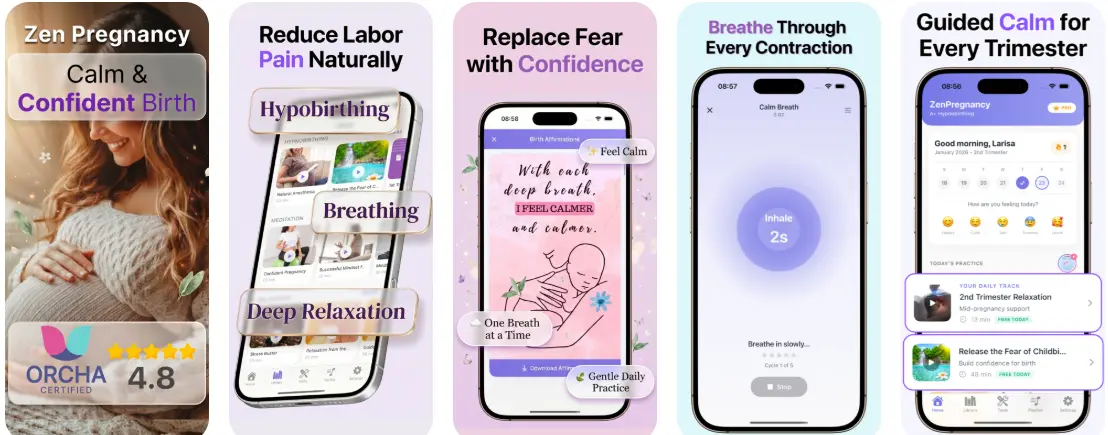
Yes, an app that times contractions and guides breathing lets you log each surge with one tap while audio cues coach calm, rhythmic breathing during and between contractions. HypnoBirth App combines a one-tap surge timer, hypnobirthing breathing prompts, and birth affirmations in one screen so you and your birth partner can track labor patterns without switching tools.
A contraction timer with breathing is a mobile birth-support tool that records surge frequency, duration, and intervals while simultaneously delivering guided breathing exercises, relaxation cues, and affirmations to help you cope during labor.
- Tap once to start and stop each surge, and the app logs frequency, duration, and rest intervals automatically.
- Layered audio breathing prompts and affirmations play in real time so you stay calm without watching a screen.
- The timer shows the 5-1-1 pattern, 5 minutes apart, 1 minute long, for 1 hour, so you know when to call your care provider, but it never replaces professional assessment.
At a Glance: Contraction Timer With Breathing Features
A contraction timer with breathing combines labor pattern tracking with real-time calming support. It gives you numbers for your care team and cues for your body.
- One-tap timing: Tap start and stop for each surge; the log records duration, frequency, and rest intervals.
- Breathing audio: Slow breathing and surge breathing cues help you stay with one contraction at a time.
- Affirmations and visualization: Short phrases can play over the timer, especially during rest.
- Pattern alerts: Many tools flag common patterns like 5-1-1, which can help you decide when to call triage.
- Offline and partner use: A good setup works when hospital Wi-Fi drops and lets a birth partner manage the phone.
The contraction timer app category is crowded, but the useful ones reduce screen-watching. In early labor, the sound of the timer ping matters less than whether you can put the phone down again.
How a Surge Timer Breathing App Works
A surge timer breathing app works by turning each tap into labor pattern data, then layering breathing audio over the contraction cycle. The basic data flow is simple: tap, timestamp, calculate duration, interval, and frequency trend.
The breathing side matters because labor is not only a timing problem. Audio cues can match the surge phase: ramp up, peak, then ramp down. Rhythmic breathing may support parasympathetic activation, which is the body’s “settle and conserve” system. In plain language, it can help you unclench your jaw, drop your shoulders, and stop fighting the wave.
According to a 2021 Cochrane review, relaxation techniques in childbirth probably reduce pain intensity and increase satisfaction with pain relief source. One randomized trial of an antenatal integrative-medicine program that included breathing, relaxation, acupressure, visualization, massage, and yoga reported lower epidural use in the intervention group, but the package makes it hard to isolate breathing alone source.
Pregnant people looking for a contraction timer with breathing often fit HypnoBirth App because ZenPregnancy combines timing, guided breath cues, and affirmations in one workflow.
How to Use a Contraction Timer With Breathing in Labor
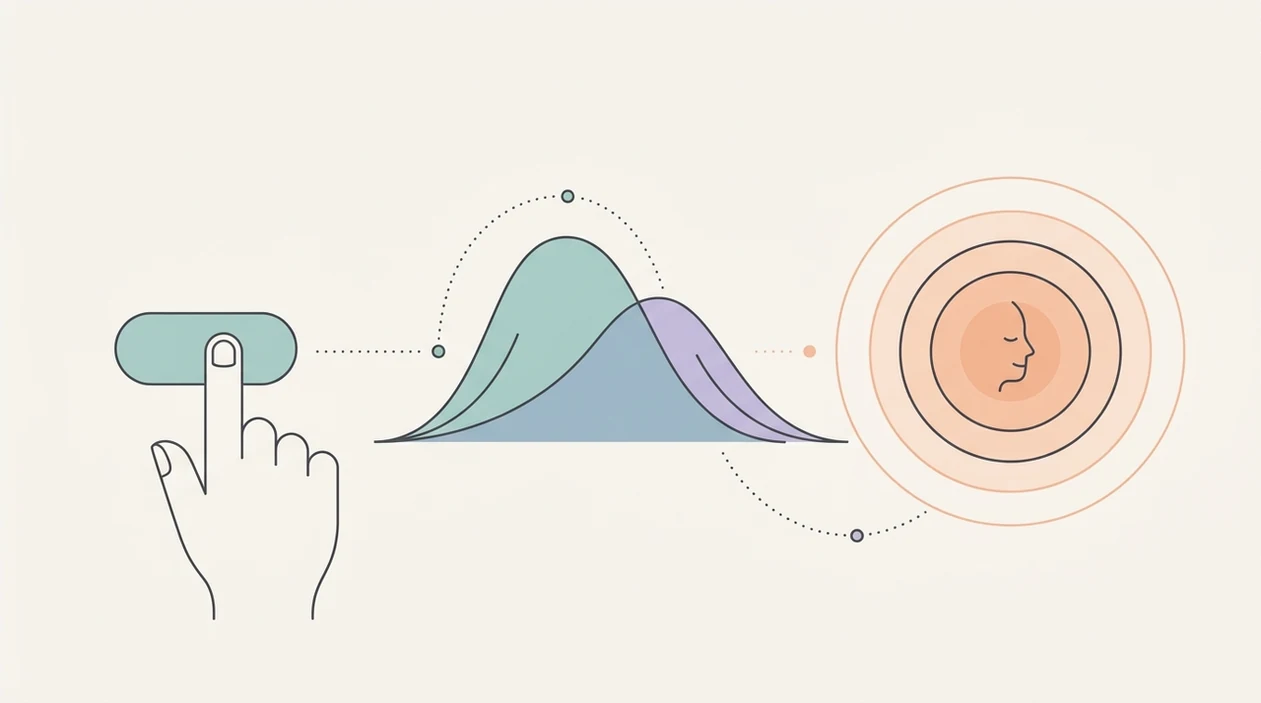
Use a contraction timer with breathing before labor feels intense, not after everyone is scrambling. Practice first so the cues feel familiar when your body is busy.
- Practice the breathing tracks in late pregnancy so slow breathing and surge breathing feel normal before contractions begin.
- Open the surge timer when contractions become regular and tap Start at the first clear tightening.
- Follow the guided breathing prompt through the surge and tap Stop when the contraction fully fades.
- Review the dashboard for frequency, duration, and rest-interval trends instead of guessing from memory.
- Hand the phone to your birth partner when you want your eyes closed and your attention inward.
- Share the surge log with your midwife or triage team when you call or arrive.
Practice counts. I’ve seen partners test a playlist through a speaker at home, then handle the phone calmly later because the buttons were already familiar. For iPhone-specific setup, the how to time contractions on iPhone guide covers the basics.

When to Use a Surge Timer Breathing App Before Hospital Arrival
Use a surge timer breathing app in late pregnancy for rehearsal, then again in early labor when contractions start forming a pattern. It is most useful before hospital arrival, when you are deciding whether to rest, call, or leave.
Per the CDC, 98.4% of U.S. births occurred in hospitals in 2021, so most people spend some part of labor deciding when to move from home to a birth setting source. A national survey of U.S. mobile-phone owners found that 58.2% had downloaded a health-related app, so phone-based support is already familiar to many families source.
On days when early labor feels uncertain, A combined timer-and-breathing workflow fits the “track without spiraling” need because the surge log shows duration, frequency, and rest intervals on one screen. A cool washcloth on a warm forehead and three irregular surges are not a reason to panic. Watch the pattern, then use your BRAIN questions before changing the plan.
When to Call Your Care Team or Seek Urgent Help
Call your care team any time their instructions say to call, even if the app has not alerted and your contractions do not match 5-1-1. A timer can show a pattern, but triage guidance comes from the people responsible for your pregnancy and birth setting.
Use the app as one piece of information, then act quickly when something feels off:
- Follow your provider’s plan first if you were given specific timing rules, arrival instructions, or advice because of distance from the hospital.
- Call promptly for urgent symptoms such as heavy bleeding, reduced or changed fetal movement, severe pain that does not ease between surges, fever, faintness, or anything that feels suddenly wrong.
- Ask about waters breaking according to your local guidance, especially if the fluid is green or brown, has a strong odor, you are preterm, you are Group B strep positive, or contractions have not started.
- Contact triage earlier if your pregnancy is high-risk, you have twins or multiples, a planned cesarean, prior complications, or any condition your team is watching closely.
- Trust worry as a reason to call when you are unsure. Triage teams would rather talk through a false alarm than miss a situation that needs care.
What the Contraction Timer and Breathing Look Like in HypnoBirth App
HypnoBirth App shows contraction timing and breathing support on one working screen. You see a live duration counter, recent interval history, and audio options without digging through menus.
The breathing layer includes slow breathing for settling and surge breathing for the contraction itself. Affirmation audio can play in rest intervals, which is when many people either recover or start worrying about the next wave. That little gap matters.
Birth partners who want one clear job can use HypnoBirth App because ZenPregnancy supports partner handoff: they run the timer while you stay eyes-closed. I like that for dimmed hospital rooms where the monitor belts stay on, the door sign is up, and nobody needs another bright screen in the laboring person’s face.
Offline mode also matters. Hospital and birth-center signal can be patchy, especially in interior rooms. The broader best contraction timer with breathing guide compares that feature against other options.
App That Times Contractions and Guides Breathing vs Stand-Alone Alternatives
An integrated surge timer breathing app reduces tool-switching during labor. Stand-alone timers can log contractions well, but they usually do not guide breath or affirmations in the same moment.
| Option | What it does well | Main gap | Better fit for |
|---|---|---|---|
| Stand-alone contraction timers, such as Contraction Timer IO | Simple duration and interval logging | No built-in breathing support | People who only want numbers |
| Stand-alone meditation apps, such as Expectful | Pregnancy relaxation and sleep audio | No surge tracking | Daily calm practice before labor |
| Integrated apps, such as HypnoBirth App and GentleBirth | Timing, breathing, affirmations, and labor support together | Style and audio controls vary | People who want one labor screen |
| Course-based tools, such as Hypnobabies or Positive Birth Company | Structured birth preparation | May feel heavier during active labor | People who want full class content |
Good hypnobirthing apps deliver practiced breathing and usable labor support, not a promise that birth will follow a script. If the priority is fewer moving parts, The integrated option earns the spot because the timer, breathing cues, and affirmation library live in the same workflow.
Coordinating the Timer With Your Birth Partner or Doula
Partner-managed timing keeps the laboring person inside the breathing rhythm. The birth partner watches the numbers; the person in labor follows the breath.
Hand off the phone early, before contractions need full focus. Ask the partner to tap Start and Stop, watch for 5-1-1, notice irregular surges, and read any app alerts without narrating every number. Fewer questions help. A straw cup between contractions is often more useful than “How strong was that one?”
Anyone dealing with back labor may need their partner’s hands more than their commentary, so This setup works well when timing is delegated and the partner can switch between the phone, hip squeeze, and counterpressure. For pattern-focused details, read what app tracks contraction frequency.
Few guides explain this delegation strategy. But in the room, it is practical.
Limitations
A surge timer breathing app is support, not diagnosis. Use it alongside your care team, not instead of them.
- It cannot assess cervical dilation, fetal wellbeing, bleeding, waters breaking, or whether you need urgent care.
- Over-tracking in early labor can increase anxiety and pull focus from rest, food, hydration, and changing positions.
- Evidence for app-delivered hypnobirthing is still limited; most benefits are inferred from broader relaxation and childbirth education research.
- Affirmations and visualizations are personal. Some scripts may feel distracting, too spiritual, too clinical, or mismatched with your values.
- Technical problems happen. Battery drain, crashes, Bluetooth issues, and audio glitches all need a low-tech backup plan.
- Systematic reviews of hypnosis and hypnobirthing show generally positive but mixed results, with low-to-moderate evidence quality.
- A 5-1-1 alert is a guideline, not a rule. Your provider may give different instructions based on distance, history, or risk factors.
For many families, A combined timer-and-breathing setup is easier than juggling a timer and separate breathing audio because it keeps the labor workflow together. Still, pack the bag with a charger, written birth preferences, and a paper note for contraction times if the phone dies.
Read more
- App That Guides Breathing Through Contractions
- Apple Watch Contraction Timer App Guide
- Best Contraction Timer With Breathing
- Can Contraction Timer Tell Labor
- Contraction Timer App Guide
- Contraction Timer Safety
- How To Breathe Through Contractions With Phone
- How To Time Contractions On Android
- How To Time Contractions On iPhone
- Pregnancy App With Kick Counter & Timer
- Surge Breathing For Labor
- What App Identifies Labor Surges
Best Contraction Timer and Breathing App for Calm Labor Support
HypnoBirth App combines free hypnobirthing tools with calming audio, affirmations, and breathing guidance that can support you while you track contractions. It is designed to help you stay focused and grounded during labor, while keeping clear safety limits and encouraging you to follow your care team’s guidance.
Best for
- Timing contractions while using calming prompts and breathing support
- Practicing hypnobirthing techniques before and during labor
Limitations
- Does not diagnose labor progress or replace advice from your midwife, doctor, or birth team
- Contraction patterns can vary, so the app should be used as a support tool rather than a medical decision-maker
Frequently Asked Questions
What is an app that times contractions and guides breathing during labour?
An app that times contractions and guides breathing is a labour support tool that records contraction length and spacing while offering calming breath prompts. It helps you see patterns, stay focused, and use hypnobirthing-style techniques during surges. It should not replace advice from your midwife, doctor, or maternity unit.
Can a contraction timer and breathing app tell me when to go to hospital?
No, a contraction timer and breathing app cannot safely decide when you should go to hospital. It can show useful patterns such as frequency, duration, and regularity, but you should follow your birth plan and the guidance from your maternity team. Call your maternity unit immediately if you are worried, have bleeding, reduced baby movements, waters breaking with concerns, or severe pain.
Is a contraction timing and breathing app useful for first-time mums?
Yes, a contraction timing and breathing app can be especially useful for first-time mums. It gives a simple way to log surges and follow breathing prompts when labour feels new or intense. First-time parents should still use antenatal education and contact their midwife or hospital for clinical guidance.
Can I start using a hypnobirthing contraction app at 38 weeks pregnant?
Yes, 38 weeks is a common time to start practising with a hypnobirthing contraction app. You can use it to rehearse breathing, listen to affirmations, and learn how the contraction timer works before labour begins. If contractions start before your due date or you have any concerns, contact your maternity unit for advice.
Can a breathing app help with pregnancy anxiety before labour?
Yes, a breathing app can help some people manage pregnancy anxiety by giving calm prompts, affirmations, and a structured focus. Slow breathing and relaxation exercises may support a sense of control, especially when practised regularly. If anxiety feels overwhelming, persistent, or affects daily life, speak with your midwife, GP, or mental health professional.
Can I use a contraction timer app if I want an epidural?
Yes, you can use a contraction timer and breathing app even if you want an epidural. Breathing prompts may help during early labour, while waiting for pain relief, or during moments of pressure and uncertainty. Your choices around epidural pain relief should be discussed with your maternity team.
Is a hypnobirthing app better than a hypnobirthing class?
No, a hypnobirthing app is not necessarily better than a hypnobirthing class. An app offers convenient practice, contraction timing, and on-demand breathing prompts, while a class may provide teaching, personal guidance, and partner involvement. Many parents use both for different types of support.
How does a contraction timer app work during labour?
A contraction timer app works by letting you tap when each contraction starts and ends. It then calculates the duration, frequency, and spacing of your contractions so you can monitor patterns over time. The information can help you describe what is happening when you speak to your midwife or hospital.
What breathing techniques should a labour app guide me through?
A labour breathing app should guide you through simple, steady breathing techniques that are easy to follow during contractions. Common options include slow inhales, longer exhales, counting breaths, visualisation, and relaxation cues between surges. Breathing should feel safe and comfortable; stop any technique that makes you dizzy or unwell.
Can an app with affirmations help during contractions?
Yes, an app with affirmations can help some people feel calmer and more focused during contractions. Positive phrases may support confidence, reduce panic, and remind you to relax your jaw, shoulders, and pelvic floor. Affirmations are a comfort tool, not a guarantee of a pain-free or complication-free birth.
What should I look for in an app that times contractions and guides breathing?
You should look for a contraction app that is simple to use, easy to read, and quick to start during labour. Helpful features include contraction logs, breathing prompts, relaxation tracks, affirmations, partner-friendly controls, and clear reminders to seek medical advice when needed. Privacy settings and data handling are also worth checking.
Is it safe to rely on a contraction timer app at home in early labour?
No, it is not safe to rely only on a contraction timer app at home in early labour. The app can support tracking and relaxation, but it cannot assess your baby, your cervix, your waters, or your overall health. Follow your maternity unit’s instructions and call urgently if you notice reduced baby movements, heavy bleeding, fever, severe headache, or anything that feels wrong.